

June 11, 2026
Software Engineer Jobs in 2026: How SaaS Teams Should Design the Work Before Hiring
Software engineer jobs are not just headcount decisions. This guide helps SaaS buyers and productivity teams design engineering work, tooling, ownership, and hiring workflows.
Software engineer jobs look simple from the outside: write a job description, post it, screen resumes, run interviews, make an offer.
Then production work arrives. The backlog is unclear. Support tickets interrupt roadmap work. Product managers ask for estimates without context. Founders want AI features. Sales needs integrations. Finance wants cleaner billing data. Suddenly the job is not “software engineer.” It is five different workflows fighting for the same person.
Teams think the problem is hiring better engineers. The real problem is designing better engineering work.
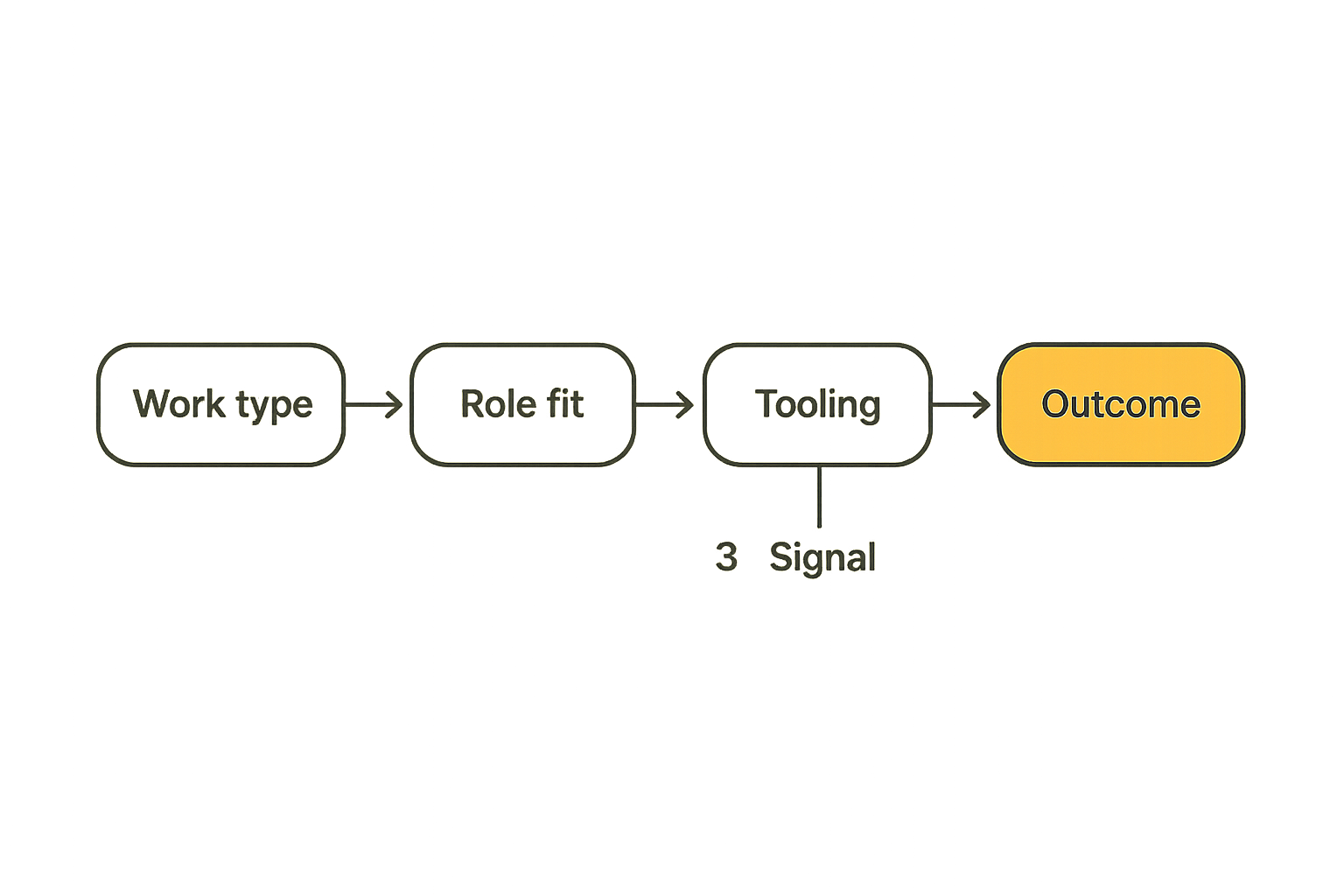
That changes the conversation. In 2026, software engineer jobs are not only about languages, frameworks, or compensation bands. They are an operating system decision: what work exists, who owns it, which tools support it, how decisions move, and how the business measures useful output without turning engineering into ticket theater.
Table of contents
- Why software engineer jobs are workflow decisions now
- Map software engineer jobs to business outcomes
- The major software engineer job types in SaaS teams
- Design the engineering workflow before you hire
- Tooling choices that shape software engineer jobs
- What works when hiring engineers in 2026
- What fails in software engineer jobs
- A practical implementation sequence
- How SaaS buyers should evaluate engineering productivity software
- Where saasrow.com fits into the decision
Why software engineer jobs are workflow decisions now

The job changed because the stack changed
A useful way to think about it is this: engineers used to be hired mainly to create software. Now many are hired to operate a changing system of software, data, integrations, workflows, vendors, and customer expectations.
A SaaS product may include authentication, billing, analytics, third-party APIs, customer support workflows, marketing automation, usage-based pricing, infrastructure automation, AI-assisted features, and compliance requirements. None of these live in a neat box. A change in billing may affect support. A change in onboarding may affect analytics. A change in analytics may affect sales reporting.
So software engineer jobs have expanded from “ship code” to “protect the flow of product value through the business.” That sounds abstract until you see the failure modes: features shipped without instrumentation, integrations built without ownership, internal tools no one maintains, and roadmap work constantly interrupted by operational cleanup.
Hiring does not fix broken operating models
The mistake teams make is treating every engineering bottleneck as a capacity issue. Sometimes it is. Often it is not.
If a founder cannot decide priorities, another engineer will not fix it. If support escalations arrive through random Slack messages, another engineer will not fix it. If product specs omit edge cases, another engineer will simply discover the mess later. If deployments are manual and fragile, a senior hire may reduce pain but will spend weeks rebuilding the release path before doing the work you hired them for.
Practical rule: Before opening software engineer jobs, write down the workflow the new hire will inherit. If that workflow is chaotic, you are hiring someone into chaos, not hiring someone to solve it.
This is why role design belongs with software selection, process design, and business planning. The hiring decision and the tooling decision are linked.
The practical question for SaaS buyers
The practical question is not “How many engineers do we need?” It is “What engineering workflow are we asking people and tools to support?”
That question matters for SaaS buyers because software purchases often create engineering work. A CRM migration creates integrations. A billing tool creates event handling, reconciliation, and support logic. A product analytics platform creates tracking plans and data quality work. Even a no-code automation tool can create engineering dependencies when workflows become business-critical.
For a broader companion view on role design, hiring workflows, tools, and SaaS team productivity, see our practical guide to software engineer jobs in 2026. The key point is the same: the role is only useful when the operating model is clear.
Map software engineer jobs to business outcomes
Start with the work, not the title
Titles are often too blunt. “Full-stack engineer” can mean ten different things: frontend feature work, backend API work, database design, infrastructure support, customer bug fixing, internal tools, analytics instrumentation, or all of the above.
Start with the work. Write down the recurring engineering demand in plain language:
- Build new customer-facing product features.
- Maintain integrations with billing, CRM, support, and analytics systems.
- Improve application performance and reliability.
- Automate internal operational workflows.
- Manage data pipelines and reporting quality.
- Reduce security and compliance risk.
- Support enterprise customer requirements.
- Improve developer tooling and deployment speed.
Once the work is visible, the job type becomes clearer. You may not need a generic senior engineer. You may need a product engineer with strong customer empathy, or a platform engineer who can reduce release friction, or a data engineer who can make revenue reporting trustworthy.
Separate delivery, reliability, and discovery
Many small teams collapse three different kinds of work into one queue:
- Delivery: building committed features and fixes.
- Reliability: keeping systems stable, secure, observable, and maintainable.
- Discovery: exploring customer problems, technical options, and product bets.
What breaks in practice is that delivery always looks urgent, reliability becomes invisible, and discovery becomes a luxury. Then the team hires another engineer and repeats the cycle.
Practical rule: If one software engineer job is expected to own delivery, reliability, discovery, support, and architecture, the real job description is “absorb organizational ambiguity.” That is not a scalable role.
The better move is to decide how much of each work type the role owns. A product engineer may spend 70% on delivery, 20% on discovery, and 10% on support analysis. A platform engineer may spend 60% on reliability, 30% on internal tooling, and 10% on roadmap consultation. The exact split matters less than making it explicit.
Build an outcome-to-role map
Use a simple mapping table before you approve headcount or buy another tool.
| Business outcome | Engineering work required | Likely role fit | Tooling dependency |
|---|---|---|---|
| Faster feature delivery | Product specs, frontend/backend work, tests, releases | Product engineer | Issue tracker, CI/CD, design docs |
| Better uptime | Monitoring, incident response, scaling, deployment safety | Platform or infrastructure engineer | Observability, deployment, alerting |
| Cleaner revenue operations | Billing events, data sync, reconciliation, customer account logic | Backend or integration engineer | Billing, CRM, warehouse, APIs |
| Better product decisions | Instrumentation, analytics quality, experiments | Data or product engineer | Analytics, warehouse, event schema |
| Lower security risk | Secure coding, dependency management, access controls | Security-minded engineer | SAST, secrets, IAM, audit logs |
This table does not need to be perfect. It needs to make tradeoffs visible. Once business outcomes are tied to work, software engineer jobs become easier to scope and easier to evaluate.
The major software engineer job types in SaaS teams
Product engineers
Product engineers sit close to customer value. They turn product decisions into working features, but the best ones also question requirements, identify edge cases, and understand adoption. In small SaaS teams, this role is often the highest-leverage hire because it connects engineering output to user workflow.
A good product engineer cares about how the feature behaves after release: whether onboarding is clear, whether events are tracked, whether support teams can answer questions, and whether the feature fits the customer’s actual process.
The mistake teams make is hiring product engineers and then feeding them vague tickets. Product engineers need context, not just tasks. Give them customer recordings, product analytics, support themes, design notes, and decision logs.
Platform and infrastructure engineers
Platform and infrastructure engineers reduce the cost of change. They improve deployment systems, observability, environments, internal developer experience, and reliability controls. Their work can look invisible until it is missing.
If every release is stressful, every environment is inconsistent, and every incident requires heroic debugging, you probably have platform work even if you do not have a platform team.
For small teams, this may not be a full-time role at first. It may be a responsibility assigned to a senior engineer for one or two days per week. The important part is not the title. The important part is ownership.
Data, AI, and automation engineers
In 2026, many software engineer jobs include automation and AI-adjacent work. That does not mean every company needs an “AI engineer.” It means teams need people who can connect data, workflows, models, APIs, and governance in a way that does not create fragile demos.
A data or automation engineer may build internal workflows, reporting pipelines, AI-assisted support tools, lead scoring systems, or product usage insights. The risk is that these projects become impressive prototypes with unclear ownership.
Practical rule: Treat AI and automation projects as production workflows. Define inputs, outputs, failure handling, monitoring, permissions, and support ownership before calling them done.
Security-minded engineers
Not every SaaS team can hire a dedicated security engineer early. But every SaaS team benefits from engineers who understand secure defaults, access control, dependency risk, secrets handling, auditability, and safe deployment practices.
Security-minded engineering is especially important when serving business customers. Buyers increasingly ask about controls, vendor risk, data handling, and incident response. Engineering jobs that ignore security create sales friction later.
Related reading from our network: teams that want a deeper DevSecOps angle can compare role expectations against this guide to cyber security certifications for DevSecOps, especially when security ownership is split across engineering and operations.
Design the engineering workflow before you hire
Define intake and prioritization
Intake is where engineering productivity usually starts to leak. Work arrives from sales, support, product, executives, customers, and internal operations. If intake is informal, the loudest request wins.
A workable intake process should answer:
- Where does new work enter?
- Who can create requests?
- What information is required?
- Who triages requests?
- How are emergencies separated from normal work?
- How does rejected or deferred work get explained?
For small teams, this does not need enterprise bureaucracy. A shared request form, a weekly triage meeting, and a clear priority owner can be enough. The point is to prevent engineering from becoming a human router for every unresolved business question.
Define build, review, and release
Software engineer jobs become painful when the build path is unclear. Engineers should know how work moves from idea to production:
- Problem statement or ticket is accepted.
- Requirements and constraints are clarified.
- Technical approach is documented when needed.
- Code is written and reviewed.
- Tests, migrations, and rollout notes are prepared.
- Feature is deployed safely.
- Post-release signals are checked.
That sequence sounds basic. In practice, many teams skip steps until something breaks. They deploy without rollback plans. They merge without migration review. They launch without support documentation. Then everyone asks why engineering is slow.
The workflow is not overhead. It is how you avoid expensive rework.
Define support and incident ownership
Support ownership must be explicit. If engineers are expected to handle escalations, define the path. Which tickets qualify? Who triages? What response time is expected? How do support learnings return to the roadmap?
Without that structure, support interrupts deep work randomly. Engineers become frustrated. Support feels ignored. Customers wait. Product loses signal.
A simple escalation model works well:
- Tier 1: support handles known issues and documentation.
- Tier 2: product/support triage unclear behavior.
- Tier 3: engineering investigates confirmed defects or system issues.
- Postmortem: recurring issues become backlog items or documentation updates.
That changes the conversation from “engineering is not helping” to “we know where this type of work belongs.”
Tooling choices that shape software engineer jobs
Project management tools
Project management software shapes behavior. A tool optimized for lightweight task lists may work for a five-person team but fail when dependencies, roadmap planning, support escalations, and release tracking grow. A heavyweight system may create too much admin for a small product team.
Evaluate project tools by workflow fit:
- Can you separate roadmap work from interrupt work?
- Can teams see ownership and status without meetings?
- Can tickets include enough context for engineers?
- Can product, support, and leadership collaborate without corrupting the engineering queue?
- Can reporting show flow without becoming surveillance?
What works is a system that makes decisions visible. What fails is a tool that becomes a dumping ground.
Code, CI, and deployment tools
The code and deployment toolchain determines how safe change feels. If tests are unreliable, environments are inconsistent, and deployments depend on one senior engineer, job satisfaction drops and throughput slows.
Engineering productivity often improves when teams invest in:
- Consistent local development setup.
- Automated test suites with clear ownership.
- CI pipelines that fail for useful reasons.
- Preview environments for product review.
- Deployment automation with rollback paths.
- Observability tied to releases.
The mistake teams make is viewing these tools as purely technical. They are business systems. They affect release confidence, customer experience, roadmap predictability, and hiring quality.
Documentation and knowledge tools
Documentation is not a wiki graveyard. It is the memory layer for the company. Software engineer jobs become harder when decisions live in chat history and architecture exists only in one person’s head.
Useful documentation includes:
- Architecture decision records.
- Runbooks for incidents and recurring operations.
- API and integration notes.
- Onboarding guides.
- Release checklists.
- Data definitions and event schemas.
Related reading from our network: remote teams face similar tradeoffs around shared memory, handoffs, and collaboration tooling in this guide to cloud based productivity and collaboration tools.
Business systems and integration tools
SaaS buyers often underestimate how much engineering work business software creates. Billing, invoicing, CRM, support, analytics, marketing automation, HR, and finance tools all generate integration and data quality demands.
If you are evaluating finance workflows, our guide to choosing invoicing software by billing workflow and operational fit is a useful adjacent example. The lesson applies broadly: the UI is not the whole system. State, integrations, exceptions, and month-end operations are where the real work appears.
This is especially relevant for software engineer jobs because engineers often inherit the hidden complexity after a tool is purchased. A vendor may have a clean demo, but your team still has to handle webhooks, permissions, data mapping, retries, reporting gaps, and customer exceptions.
What works when hiring engineers in 2026
Use a role scorecard
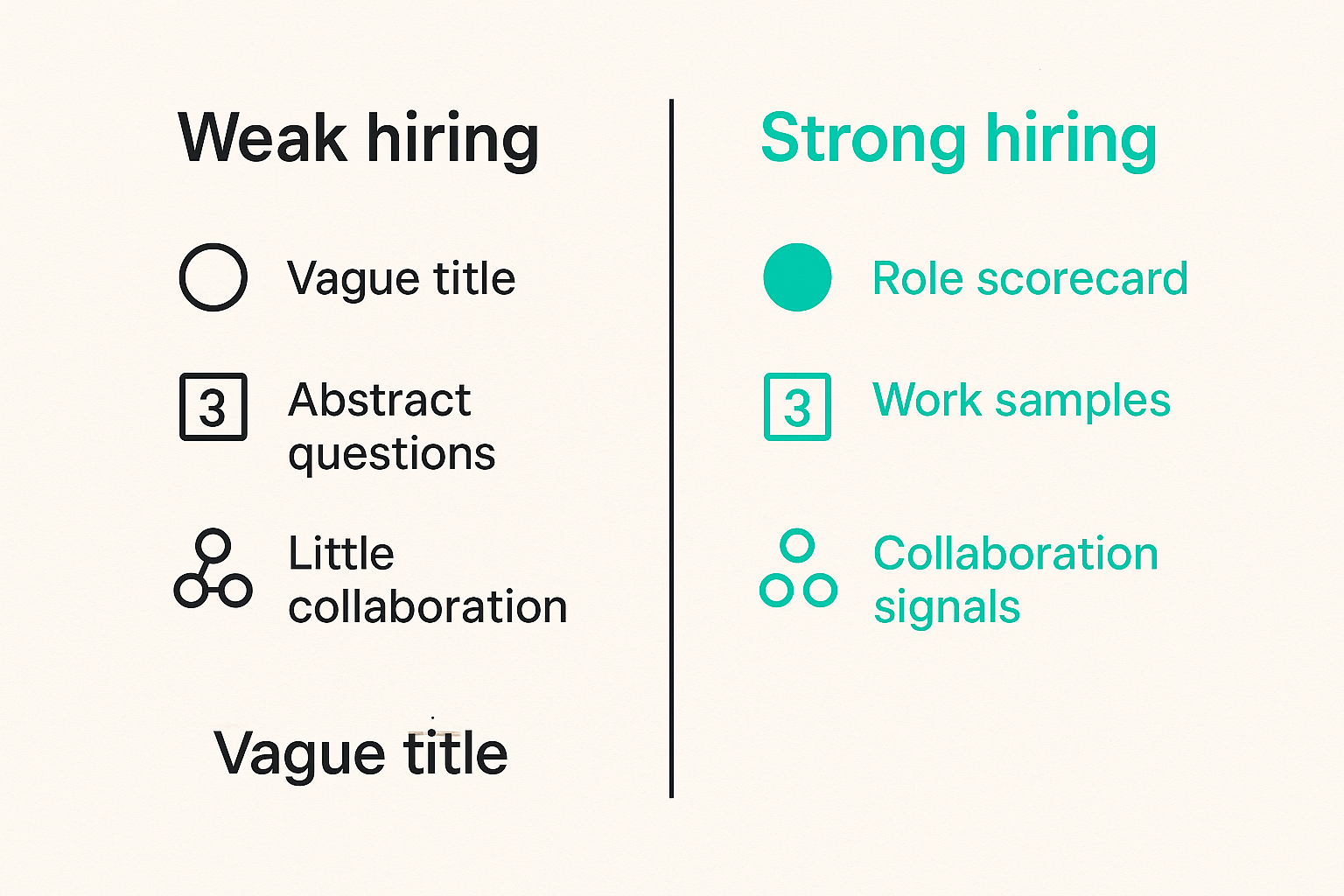
A role scorecard is more useful than a generic job description. It defines outcomes, responsibilities, required skills, collaboration patterns, and success indicators.
For example:
| Scorecard area | Weak version | Strong version |
|---|---|---|
| Mission | Build product features | Improve activation by shipping onboarding improvements and instrumentation |
| Ownership | Backend work | Own billing integration reliability and related support escalations |
| Collaboration | Work with product | Partner with product, support, and design during discovery and release |
| Success measure | Close tickets | Reduce recurring customer-impacting defects and improve release predictability |
| Tooling | Use our stack | Improve CI reliability, API observability, and integration documentation |
A scorecard forces the team to decide what the role is actually for. It also helps candidates understand the job beyond the recruiting pitch.
Test real work samples
Interview loops often over-index on abstract puzzles or conversational confidence. For most SaaS teams, better signals come from realistic work samples.
Good work samples include:
- Reviewing a small pull request.
- Designing an API endpoint with edge cases.
- Debugging a simplified production issue.
- Writing a short technical plan from a product brief.
- Explaining tradeoffs in a migration.
- Improving a messy ticket into buildable work.
Keep the exercise respectful. Pay for longer assignments. Avoid asking candidates to build free product work. The goal is to see how they reason in the environment they will actually join.
Make collaboration visible
Software engineer jobs rarely fail because someone cannot type code. They fail because collaboration expectations are mismatched.
During hiring, evaluate how the candidate works with ambiguity:
- Do they ask clarifying questions?
- Can they explain tradeoffs to non-engineers?
- Do they notice operational risks?
- Can they break work into reviewable pieces?
- Do they document decisions?
- Can they push back without turning every conversation into a battle?
The strongest engineers do not just produce code. They reduce uncertainty for the team.
What fails in software engineer jobs
Vague ownership
Vague ownership is the most common failure mode. Everyone assumes someone else owns reliability, documentation, support tooling, analytics quality, or technical debt. Then a problem appears and the team discovers the ownership model in real time.
Define ownership at three levels:
- System ownership: who understands and maintains a system.
- Workflow ownership: who ensures a process works across teams.
- Decision ownership: who makes the final call when tradeoffs conflict.
Without these boundaries, software engineer jobs become a negotiation every week.
Tool sprawl
Tool sprawl happens when each problem gets a new application instead of a workflow decision. A roadmap tool here, a docs tool there, a separate support tracker, three automation tools, a dashboard platform, and a spreadsheet holding the truth.
What breaks in practice is handoff quality. Engineers cannot find requirements. Product cannot see release status. Support cannot connect customer pain to shipped fixes. Leadership sees dashboards that do not match reality.
Before buying another tool, ask whether the team has defined:
- The source of truth.
- The owner of each workflow.
- The handoff between tools.
- The data that must stay synchronized.
- The exception path when automation fails.
For another operational comparison, our earlier guide to invoicing software workflow decisions shows the same pattern in finance systems: tool choice matters, but lifecycle ownership matters more.
Metrics that reward noise
Engineering metrics can help, but they can also distort behavior. Counting tickets closed, commits pushed, or lines changed is easy. It is also often misleading.
Better metrics connect engineering work to flow and quality:
- Lead time from accepted work to production.
- Deployment frequency with change failure context.
- Escaped defects by area.
- Time spent on unplanned work.
- Incident frequency and recovery patterns.
- Customer-impacting bugs by root cause.
- Percentage of roadmap work interrupted.
Use metrics to diagnose systems, not rank humans. If engineers believe metrics are surveillance, they will optimize the appearance of productivity instead of the substance.
AI without process design
AI tools can speed up coding, testing, documentation, and research. They can also increase review burden, introduce subtle defects, and create false confidence.
The mistake teams make is buying AI tools and expecting productivity to automatically improve. The real work is deciding where AI fits in the engineering workflow.
Good AI usage has boundaries:
- Use it for drafts, scaffolding, test ideas, and explanation.
- Require human review for production code.
- Protect proprietary data and customer information.
- Track where generated code enters critical systems.
- Update review standards for AI-assisted work.
Related reading from our network: founders thinking about distribution systems and launch operations may find a useful adjacent model in this article on Amway products as launch architecture, especially the focus on catalog, trust, referrals, workflow, metrics, and support.
A practical implementation sequence
Step 1: Inventory engineering demand
Start with the last 60 to 90 days. List the work engineers actually did, not the work you expected them to do.
Create categories:
- Roadmap features.
- Customer bugs.
- Internal tools.
- Integrations.
- Infrastructure and reliability.
- Security and compliance.
- Data and analytics.
- Support escalations.
- Planning and discovery.
- Unplanned executive requests.
Then estimate the percentage of time spent in each category. Do not over-engineer the analysis. The goal is to reveal mismatch. If the team thinks it is feature-focused but spends 45% of time on support and integration cleanup, you have a role design issue.
Step 2: Assign ownership boundaries
Next, assign ownership. For each category, name the accountable role or team. If nobody owns it, write “unowned.” That word is useful because it makes hidden risk visible.
Use a simple format:
- Work category: billing integration reliability.
- Accountable owner: backend lead.
- Supporting teams: finance, support, product.
- Tooling: billing platform, issue tracker, logs, warehouse.
- Success signal: fewer unresolved billing escalations and cleaner month-end reporting.
This prevents the common mistake of hiring a software engineer without deciding which recurring problems they are allowed to solve.
Step 3: Choose tools around handoffs
Once ownership is clear, choose or adjust tools around handoffs. The question is not “Which tool has the most features?” It is “Where does work change hands, and what information must survive the handoff?”
Important handoffs include:
- Customer feedback to product decision.
- Product decision to engineering ticket.
- Engineering implementation to code review.
- Code review to deployment.
- Deployment to support readiness.
- Incident response to postmortem.
- Product usage data to roadmap review.
Tools should reduce translation loss. If every handoff requires copying details between systems, the workflow will decay.
Step 4: Review the role every quarter
Software engineer jobs should not be frozen for a year. SaaS teams change quickly. A role that made sense during early product buildout may become too broad once customers, integrations, compliance, and support load increase.
Run a quarterly role review:
- What work consumed the most engineering time?
- Which work created the most customer or business risk?
- Which responsibilities were unclear?
- Which tools helped or slowed the team?
- Which recurring problems should become roadmap work?
- Should the next hire be product, platform, data, security, or operations-focused?
This review is not performance management. It is operating model maintenance.
How SaaS buyers should evaluate engineering productivity software
Look for workflow fit
Engineering productivity software should fit how work moves through your organization. A beautiful interface is not enough. Ask vendors to show your real workflow: intake, prioritization, build, review, release, support, reporting, and retrospectives.
Good evaluation questions include:
- Can the tool represent both planned and unplanned work?
- Can non-engineers contribute context without disrupting execution?
- Can engineering see dependencies and blockers clearly?
- Does the tool support lightweight process now and more structure later?
- Can it show flow metrics without encouraging vanity metrics?
The best software does not replace management judgment. It makes the work visible enough for better judgment.
Check integration depth
Integration depth matters more than logo walls. Many tools claim to integrate with GitHub, GitLab, Slack, Jira, Linear, Notion, analytics platforms, support tools, or CRM systems. The practical question is what data moves, how reliably, and who owns failures.
Check:
- Is the integration read-only or bi-directional?
- Are permissions mapped correctly?
- What happens when sync fails?
- Can records be reconciled?
- Does the tool preserve historical context?
- Are APIs and exports available?
This matters because engineering jobs become harder when tools create partial truths. If the roadmap says one thing, the issue tracker says another, and support has a third version, engineers waste time reconstructing reality.
Evaluate reporting honestly
Reporting should help teams improve flow, not produce executive theater. A dashboard that shows lots of activity but hides work quality is dangerous.
Useful reporting answers:
- Where is work waiting?
- Which work types interrupt planned delivery?
- Which systems generate recurring defects?
- Which releases create support load?
- Which teams need clearer handoffs?
- Which tools are no longer worth their maintenance cost?
Be skeptical of any product that promises productivity without requiring workflow clarity. Software can accelerate a good operating model. It cannot compensate forever for a broken one.
Where saasrow.com fits into the decision
Use software research as operating leverage
saasrow.com exists for readers who want practical articles, guides, and insights about software and productivity. That matters because most software decisions are really workflow decisions with a subscription attached.
For software engineer jobs, the buying decision and the hiring decision often meet in the same place. A team chooses a project management tool, then changes how engineers plan work. It buys analytics software, then creates instrumentation responsibilities. It adds automation, then needs governance. It changes billing, then creates integration and reconciliation work.
A useful software guide should not only ask whether a tool has features. It should ask what the tool makes easier, what it makes harder, which roles it changes, and which workflows need ownership before implementation.
That is the lens we use: compare tools, improve workflows, and choose software wisely.
Closing thought on software engineer jobs
Software engineer jobs are not interchangeable seats in a hiring plan. They are containers for business outcomes, technical ownership, collaboration habits, and tooling decisions.
If you define the work clearly, choose tools around handoffs, and measure flow instead of noise, engineering hiring gets less mysterious. You may still need great people. You will always need good judgment. But you stop asking new hires to compensate for an undefined system.
The practical question for 2026 is simple: before you open software engineer jobs, can you explain the workflow those engineers are supposed to improve?
Try saasrow.com
saasrow.com is for readers who want practical articles, guides, and insights about software and productivity. For more grounded software buying and workflow guidance, Try saasrow.com.