

June 17, 2026
Pivotal Software in 2026: A Practical Workflow Guide for SaaS Buyers and Productivity Teams
A practical guide to pivotal software for SaaS buyers, small teams, and productivity-focused operators choosing tools by workflow, not demo screens.
Teams usually search for pivotal software when something already feels stuck. Product work is scattered across spreadsheets, engineering tickets, chat threads, and customer promises. Nobody is sure which tool owns the truth.
The mistake teams make is treating pivotal software as a naming problem. Is it Pivotal Tracker? Is it legacy Pivotal Software? Is it VMware Tanzu, Cloud Foundry, agile project management, or just a category of important tools?
Teams think the problem is choosing the right brand. The real problem is designing the workflow that decides how work enters the system, moves through teams, gets shipped, and gets reviewed.
That changes the conversation. In 2026, the practical question is not whether pivotal software is popular. The practical question is whether your operating model can survive the tool you are about to buy.
Table of contents
- Why pivotal software is a workflow decision in 2026
- Map the jobs before comparing tools
- Pivotal Software legacy versus modern SaaS choices
- The implementation workflow that keeps teams honest
- What works when adopting pivotal software practices
- What fails in practice
- Evaluation criteria for small business and SaaS buyers
- Cost support and operational tradeoffs
- How saasrow.com thinks about software decisions
Why pivotal software is a workflow decision in 2026
Pivotal software sits in an awkward search category because the phrase can mean a former company, a specific agile planning tool, a cloud platform lineage, or simply software that is central to how a business operates. For buyers, that ambiguity is useful. It exposes the real risk.
If a tool is pivotal, it is not just another app in the stack. It becomes part of the company operating system. It decides who can create work, who can prioritize it, who can approve it, who can ship it, and who gets blamed when the status is wrong.
The keyword is ambiguous for a reason
Historically, Pivotal Software was associated with developer platforms, agile delivery, Cloud Foundry, and products such as Pivotal Tracker. Parts of that lineage moved into larger platform ecosystems, including VMware Tanzu. But the buyer problem did not disappear. Teams still need a way to move from idea to shipped software without drowning in ticket noise.
A useful way to think about it is this: pivotal software is any system that becomes a control point for work. It might be a product management platform, project tracker, developer platform, deployment system, customer feedback workflow, or internal operations tool.
That means the evaluation should start with dependency. If the tool goes down, becomes unreliable, or is ignored by the team, what breaks?
The buyer question is operating model
Most software comparisons start with features. Boards, workflows, roadmaps, automations, permissions, reports. Those matter, but they are downstream.
The better question is: what operating model are you trying to reinforce?
A founder-led SaaS team may need fast triage and simple release visibility. A growing product organization may need roadmap governance, dependency tracking, and stronger customer feedback loops. A platform team may care more about environments, compliance, deployment paths, and service ownership.
Practical rule: Do not buy pivotal software until you can describe the workflow it is supposed to protect in one paragraph.
That paragraph should name the source of work, the owner, the acceptance criteria, the release path, and the feedback loop. If the team cannot agree on those, the tool will not fix the disagreement.
Map the jobs before comparing tools
Before evaluating pivotal software, map the jobs the tool is expected to perform. Not job titles. Operational jobs. The distinction matters because many teams confuse people with workflows.
The product manager does not own every product decision. Engineering does not own every delivery failure. Customer success does not own every vague request from an enterprise account. Work crosses boundaries, and pivotal software should make those boundaries visible.
Product planning and backlog ownership
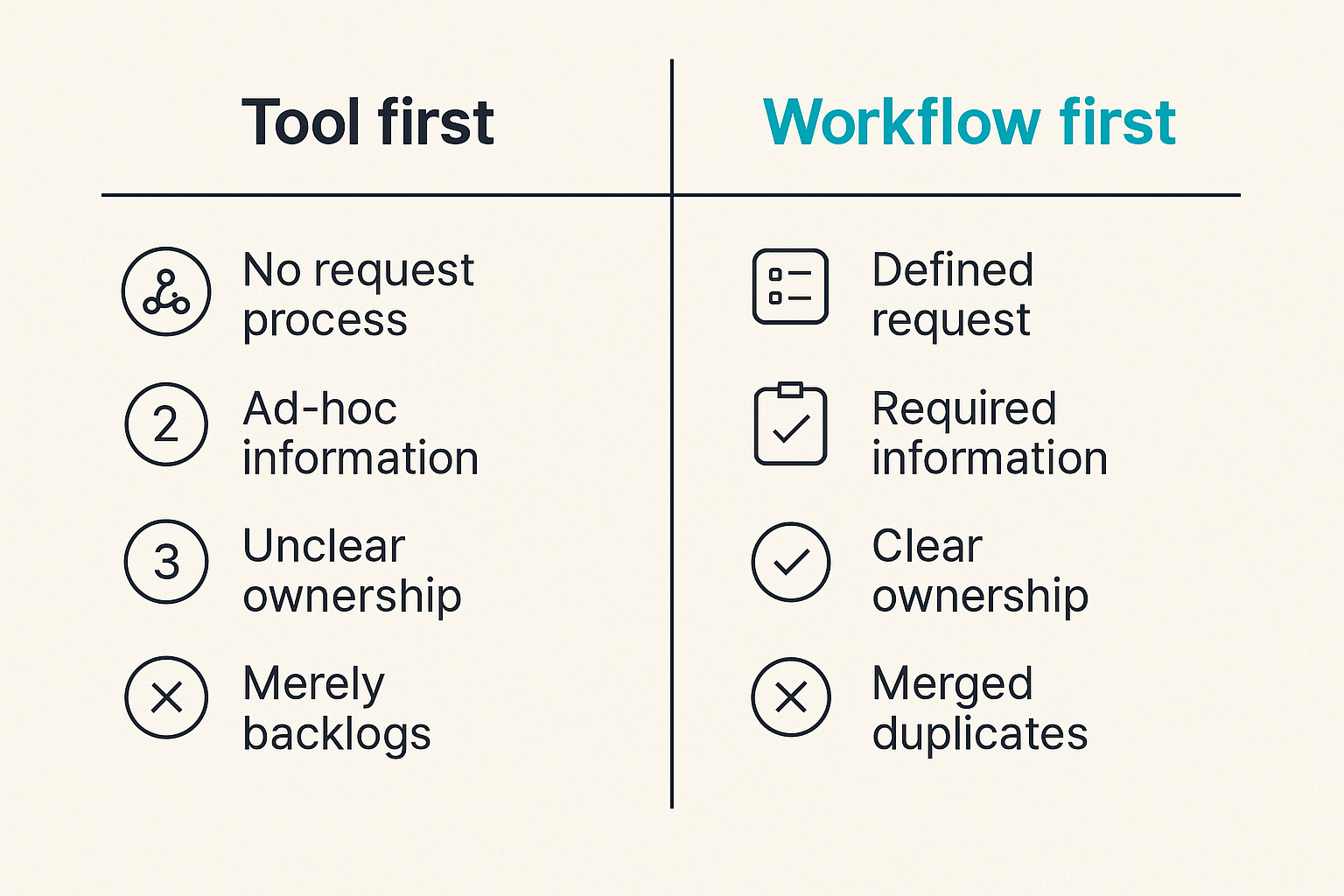
For product teams, the first job is intake. Where do ideas, bugs, requests, and strategic bets enter the system? If everything enters through Slack, the backlog becomes a memory test. If everything enters through a form, the backlog becomes a junk drawer.
The practical question is how a request becomes qualified work. Good systems make the following explicit:
- Who can create a request
- What information is required before triage
- Who owns prioritization
- How duplicates are merged
- How customer context is preserved
- How rejected work is communicated
Many productivity failures start here. Teams blame the roadmap tool, but the issue is usually that no one defined the difference between an idea, a request, a committed story, and a release candidate.
If you are also redesigning engineering roles around delivery responsibility, the same pattern applies. A related saasrow.com guide on software engineer jobs and workflow design makes the same point from the hiring side: define the work before hiring or tooling around it.
Engineering delivery and release coordination
For engineering teams, pivotal software must connect planning to delivery without turning developers into status clerks. The system should answer basic questions without a meeting:
- What is ready to build?
- What is blocked?
- What changed since the last release?
- Which customer or internal requirement is this work tied to?
- What needs validation before release?
What breaks in practice is the handoff between product intent and engineering reality. A ticket says build export settings. Engineering discovers three permission models, two billing implications, and one customer-specific edge case. If the tool cannot capture that change in scope, the roadmap becomes fiction.
Related reading from our network: remote and hybrid teams face similar coordination pressure when assembling a cloud based productivity and collaboration stack, especially when ownership moves across tools.
Pivotal Software legacy versus modern SaaS choices
The phrase Pivotal Software still carries legacy meaning, but modern buyers should separate brand history from buying architecture. A company name, product lineage, or old category label does not tell you whether a tool fits your workflow today.
Pivotal Tracker, Cloud Foundry, and Tanzu are different decisions
Pivotal Tracker is primarily associated with agile project tracking and story-based product development. Cloud Foundry is a platform-as-a-service architecture for deploying applications. Tanzu is a broader platform and Kubernetes-oriented portfolio shaped by enterprise application modernization.
Those are not interchangeable buying decisions.
If you need backlog clarity, you are evaluating planning and delivery workflow. If you need application deployment consistency, you are evaluating platform engineering. If you need modernization governance across enterprise apps, you are evaluating a broader operating model.
The mistake teams make is using one familiar label to cover several unrelated decisions. That creates bad comparisons. A lightweight planning tool may look weak beside an enterprise platform, but the opposite is also true. A platform suite may be absurdly heavy if the real problem is simply that customer requests are not being triaged.
Comparison table for buyers
Use a comparison like this before you watch demos:
| Decision area | Lightweight agile tracker | Product operations platform | Developer platform or PaaS | Enterprise modernization suite |
|---|---|---|---|---|
| Primary job | Manage stories and sprints | Connect feedback, roadmap, and delivery | Standardize app deployment | Govern large-scale app change |
| Main users | Product and engineering teams | Product, success, leadership | Developers and platform teams | Engineering, platform, compliance |
| Common failure | Becomes a ticket dump | Becomes a reporting layer only | Too complex for team maturity | Slow rollout and low adoption |
| Best fit | Small teams shipping frequently | Growing SaaS teams with customer input | Teams with multiple services | Larger organizations with legacy systems |
| Evaluation focus | Workflow speed and clarity | Prioritization and visibility | Reliability and deployment paths | Governance and integration depth |
Practical rule: Compare tools by the job they must perform, not by whether they share a category name.
This table also helps procurement. Without it, stakeholders argue from preference. Product likes roadmaps. Engineering likes Git integration. Leadership likes reports. Finance likes seat costs. The table forces everyone to say which operating problem matters most.
The implementation workflow that keeps teams honest
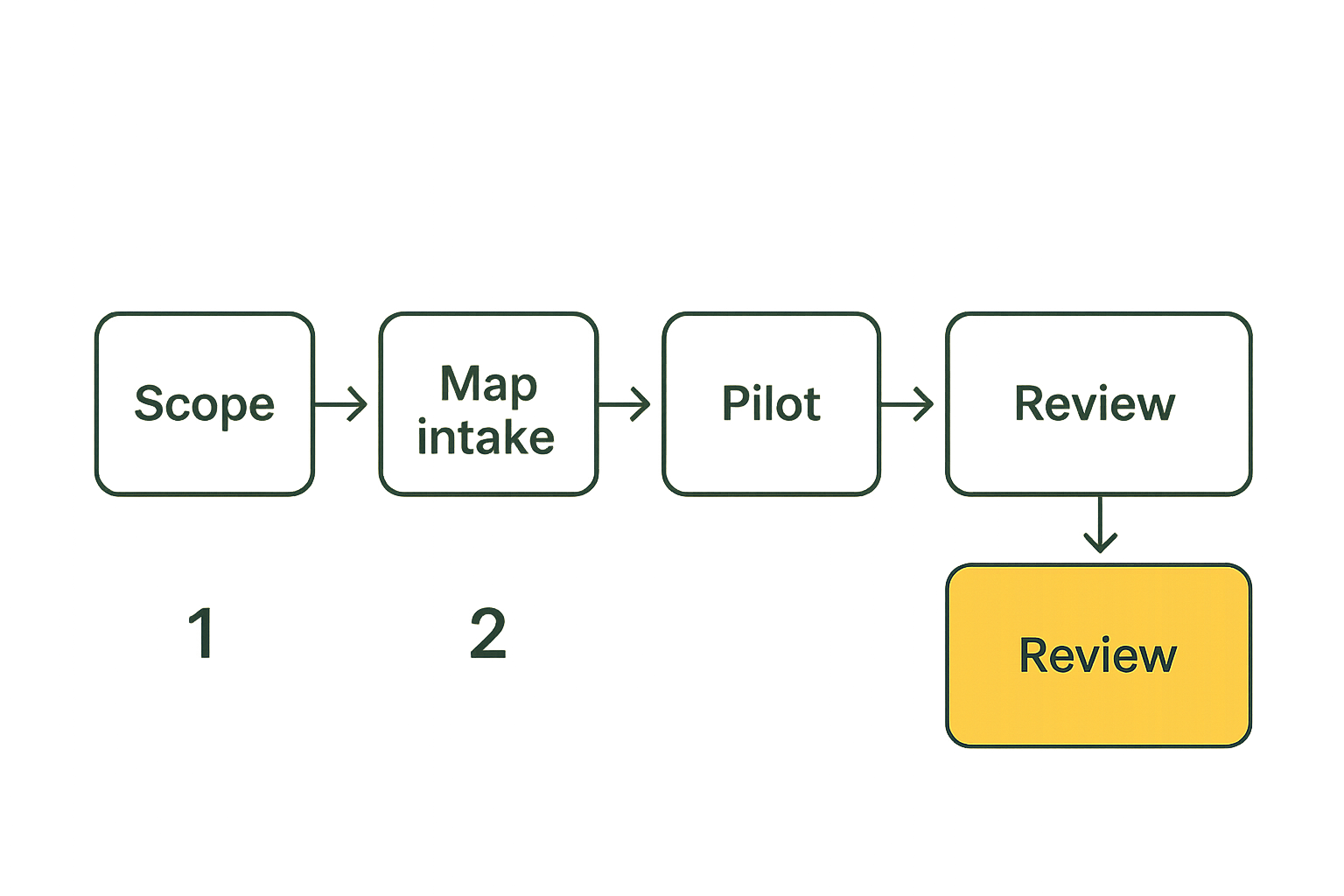
Buying pivotal software is easier than implementing it. The demo is controlled. Your workflow is not. The implementation has to deal with messy historic tickets, unclear owners, half-used integrations, and people who already have habits.
A seven step rollout sequence
A practical rollout should look more like an operations migration than a software install.
- Name the system of record. Decide what the tool owns. Backlog? Roadmap? Releases? Deployment state? Customer requests? Do not let multiple tools claim the same truth.
- Document current intake. List every place work currently enters: sales calls, support tickets, Slack, email, customer success notes, founder requests, incident reviews, spreadsheets.
- Define workflow states. Keep states simple. Example: submitted, triaged, planned, in progress, in review, ready to release, shipped, closed.
- Assign state owners. Every state needs an owner, not just a label. If no one owns triaged, nothing is really triaged.
- Pilot with one workflow. Start with one product area, one engineering squad, or one recurring business process.
- Integrate only after the workflow works manually. Premature automation makes bad process faster and harder to unwind.
- Review after two cycles. Look for stale work, duplicate records, missing context, and states nobody uses.
The sequence is intentionally boring. That is the point. Pivotal software succeeds when it reduces ambiguity, not when it creates an impressive configuration page.
Where ownership must be explicit
Ownership is where implementations either stabilize or decay. A workflow without owners becomes a shared inbox with prettier labels.
At minimum, assign ownership for:
- Intake rules
- Priority decisions
- Data hygiene
- Integration health
- Workflow changes
- Reporting definitions
- Archive and cleanup policy
This is also where software buying overlaps with staffing. If a team buys a sophisticated tool but has no one responsible for maintaining the operating model, the tool will rot. For teams thinking about delivery roles, another saasrow.com guide on software engineer jobs and SaaS productivity workflows is useful because it separates role design from tool wish lists.
Related reading from our network: product teams trying to improve demand and positioning can compare this workflow thinking with buyers products and shipping architecture, where the same issue appears as a gap between product promise and operational delivery.
What works when adopting pivotal software practices
The best pivotal software implementations usually look modest at first. They do not start by migrating every project, automating every notification, or building executive dashboards. They start by making one important workflow reliable.
Keep the workflow narrow at first
Pick a workflow that is frequent, painful, and visible. Good candidates include:
- Customer feature request intake
- Bug triage and release follow-up
- Weekly sprint planning
- Internal operations requests
- Deployment approvals
- Product roadmap review
Avoid starting with a once-a-quarter strategic planning process. It is too slow for feedback. Also avoid starting with every team at once. You will not know whether adoption problems are caused by the tool, the process, the team, or the rollout.
Practical rule: Start with a workflow that repeats often enough to expose problems within two weeks.
A small but real workflow gives you useful evidence. Are people updating status? Are duplicate requests being merged? Are blockers visible? Are decisions recorded? Is the tool reducing meetings or creating new ones?
Measure handoffs not vanity activity
Most reporting in project tools is easy to fake accidentally. Ticket counts go up. Comments increase. Boards look active. None of that proves the workflow is healthier.
Better measures focus on handoffs and decision quality:
- Time from request submitted to triaged
- Percentage of planned work with acceptance criteria
- Number of items blocked longer than a defined threshold
- Reopened work after review
- Work shipped without a linked request or decision
- Stale items in committed states
These are not universal metrics. They are prompts. The point is to measure whether the tool is improving coordination. A team can look busy and still be unclear. A team can have fewer tickets and be much healthier.
For adjacent operations, the same principle applies outside product work. A small business choosing billing tools should care less about invoice templates and more about reconciliation, approvals, and month-end workflow, which is why this saasrow.com guide to invoicing software workflow evaluation is relevant to the same buying discipline.
What fails in practice
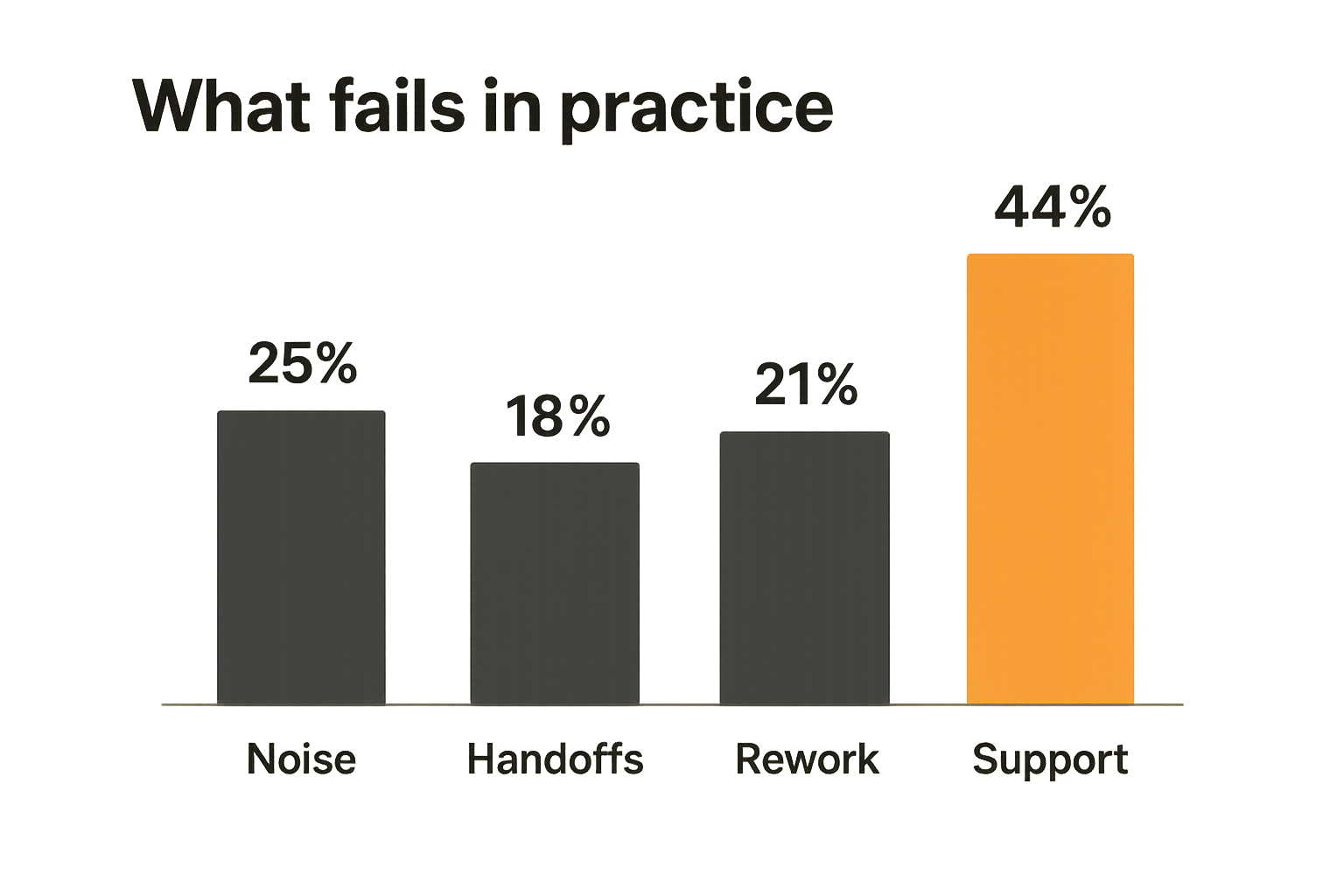
Pivotal software fails when teams install it as a status layer instead of a working system. That is the blunt version. The tool becomes another place to update the same work, and people quietly return to the channels that feel faster.
Tool migration without process migration
The most common failure is moving old chaos into a new interface. Teams import thousands of tickets, preserve every old label, recreate every broken workflow state, and then wonder why the new system feels heavy.
What breaks in practice is trust. Once users see stale tickets, duplicated priorities, and meaningless statuses, they stop believing the tool. After that, recovery is hard because the official system of record is no longer where real work happens.
Do this instead:
- Archive aggressively before migration
- Migrate only active and historically useful records
- Reduce labels before adding new taxonomy
- Remove workflow states with no owner
- Keep legacy data searchable but out of daily workflow
The point is not cleanliness for its own sake. It is operational trust. If the board says an item is ready, the team must believe it is ready.
Missing integrations and broken state
The second failure is disconnected state. A product ticket says shipped, but the release notes disagree. A support issue says escalated, but engineering has no linked work. A customer request is marked closed, but customer success was never notified.
Integrations matter because pivotal software often sits between systems:
- Chat
- Customer support
- CRM
- Git repositories
- CI/CD pipelines
- Documentation
- Billing or subscription systems
But integration is not the same as synchronization. A bad integration copies noise. A good integration moves the minimum state needed for the next team to act.
Related reading from our network: teams operating software delivery pipelines should also pay attention to security and supply chain workflow, and this guide to cyber security certifications for DevSecOps is a useful adjacent view of how process, tooling, and accountability connect.
Practical rule: Integrate around decisions and state changes, not around every possible notification.
Evaluation criteria for small business and SaaS buyers
Small business teams and SaaS buyers do not need the biggest platform. They need the smallest reliable system that can handle the next stage of growth. That distinction saves money and reduces rollout risk.
Fit by team size and cadence
A five-person team shipping weekly has different needs than a 60-person product organization with support escalations, roadmap reviews, and multiple engineering squads.
For smaller teams, prioritize:
- Fast setup
- Clear boards or lists
- Low admin overhead
- Simple permissions
- Good search
- Useful integrations with existing tools
- Easy export if the team outgrows it
For growing SaaS teams, add:
- Roadmap views
- Customer feedback linkage
- Dependency management
- Role-based permissions
- Reporting definitions
- API access
- Auditability
The practical question is not whether a tool can scale to enterprise. The question is whether your team can operate it next Monday without creating a second job for everyone.
Security admin and data controls
Pivotal software often contains sensitive operational data. It may include customer names, revenue context, internal priorities, incident details, security bugs, or roadmap bets. Buyers should treat it as a business-critical system, not a harmless productivity app.
Check the basics:
- Single sign-on support if your team needs it
- Role-based access controls
- Workspace and project permissions
- Audit logs for sensitive changes
- Data export options
- Retention and deletion controls
- Vendor security documentation
- API and webhook permissions
Small teams often skip this because they assume only large companies need governance. That is shortsighted. The earlier you define access boundaries, the easier it is to grow without exposing everything to everyone.
Cost support and operational tradeoffs
The sticker price of pivotal software is rarely the full cost. The real cost includes configuration, migration, training, integration maintenance, workflow governance, and support time when users get confused.
Pricing is not the total cost
A cheaper tool can become expensive if it forces manual reconciliation across teams. An expensive tool can be wasteful if only 20 percent of the workflow is used. The right question is whether cost matches operational leverage.
Look at cost across five areas:
| Cost area | What to check | Why it matters |
|---|---|---|
| Licenses | Seat model, guest access, admin seats | Costs can rise as cross-functional use expands |
| Setup | Migration, configuration, workflow design | Poor setup creates adoption debt |
| Training | Onboarding, documentation, internal enablement | Users need shared rules, not just login access |
| Integrations | Native connectors, APIs, webhooks, middleware | Broken integration creates duplicate work |
| Governance | Admin time, cleanup, reporting definitions | Pivotal tools need ongoing ownership |
Do not evaluate price in isolation. Evaluate what manual work disappears, what risk is reduced, and what decisions become clearer.
Support workflows decide adoption
Support is not just vendor response time. It is also your internal support model. When someone does not know where to put a request, who helps? When a workflow state seems wrong, who fixes it? When an integration fails, who notices?
Strong implementations usually have:
- A named internal admin
- A short usage guide
- Office hours during rollout
- A change request process for workflow edits
- A monthly cleanup review
- A clear escalation path to the vendor
The mistake teams make is assuming users will learn the system from the interface. Some will. Many will not. If the software changes how work is done, adoption needs operating support.
How saasrow.com thinks about software decisions
Pivotal software is a useful example because it forces a broader buying habit. Do not start with the vendor page. Start with the workflow, the ownership model, and the failure modes. Then compare tools.
For SaaS buyers and productivity-focused teams, that buying discipline matters more every year. Stacks are crowded. AI features are everywhere. Integrations are promised quickly and maintained unevenly. The team that wins is usually not the team with the most software. It is the team with fewer ambiguous handoffs.
Where product research helps
saasrow.com is built for readers who want practical articles, guides, and insights about software and productivity. The goal is not to crown one tool as universally best. That is rarely how work behaves.
A useful software guide should help you answer:
- What workflow does this category actually support?
- Which buyer is it a fit for?
- What breaks when implementation is weak?
- Which integrations matter first?
- What should be measured after rollout?
- When is a simpler tool the better choice?
That is the lens to use for pivotal software in 2026. Whether you are evaluating agile planning, product operations, developer platforms, or another business-critical system, treat the decision as architecture for work.
Try saasrow.com
If you are comparing pivotal software or rebuilding your SaaS stack, saasrow.com publishes practical articles, guides, and insights about software and productivity. Try saasrow.com.