

June 8, 2026
Invoicing Software in 2026: A Practical Workflow Guide for Small Business and SaaS Buyers
A practical guide to choosing invoicing software in 2026 by mapping invoice workflows, integrations, approvals, payments, reconciliation, and rollout risks.
Nobody buys invoicing software because they enjoy invoice templates. They buy it because cash is late, customers ask for copies, accountants chase missing context, and founders discover that spreadsheet billing does not scale past a certain number of customers.
Teams think the problem is invoice creation. The real problem is invoice operations: who owns the data, how approvals work, how payments reconcile, and whether the rest of the business can trust the billing record.
That changes the conversation. Invoicing software is not just a finance app. It is part of the operating system for revenue, customer communication, support, reporting, and cash collection. The practical question is not which tool has the cleanest PDF. It is which tool keeps your quote-to-cash workflow accurate when real customers, exceptions, taxes, refunds, and overdue invoices show up.
This guide is written for SaaS buyers, small business teams, and productivity-focused operators choosing invoicing software in 2026. We will treat it as a workflow and architecture decision, not a feature checklist.
Table of contents
- Why invoicing software is a workflow decision
- Map the invoice lifecycle before choosing invoicing software
- Core capabilities that matter
- Integration architecture for invoicing software
- Data model and controls
- Compare types of invoicing software
- Implementation workflow
- Failure modes
- Buying criteria and evaluation
- Product fit and closing
Why invoicing software is a workflow decision
The billing screen is not the system
The mistake teams make is evaluating invoicing software by opening the product, creating one sample invoice, and deciding whether it looks easy. That test is useful, but it is shallow. The invoice screen is only the point where the workflow becomes visible.
The real system includes customer records, product or service catalogs, pricing rules, taxes, discounts, approvals, payment links, accounting sync, reminder emails, dispute handling, write-offs, refunds, reporting, and exports. If any of those pieces live in separate spreadsheets with unclear ownership, the clean invoice UI will not save the process.
A useful way to think about it is this: invoicing is a state machine. A customer moves from quoted to invoiced to sent to viewed to partially paid to paid, disputed, overdue, refunded, or written off. Good software makes those states explicit. Bad software lets every team invent its own version of the truth.
Practical rule: Do not buy invoicing software until you can describe the lifecycle of an invoice from source data to bank reconciliation.
Why 2026 buying is different
In 2026, more teams run distributed operations, use multiple SaaS tools, and sell through a mix of subscriptions, one-time services, retainers, and usage-based add-ons. The old model of one person sending invoices from a desktop accounting file does not fit many modern teams.
Small businesses want faster collection without adding finance headcount. SaaS teams want billing data that matches CRM data, product usage, and customer support context. Productivity-focused professionals want less manual follow-up and fewer copy-paste mistakes.
The buying bar has moved. Invoicing software now needs to behave like a connected workflow layer. If your team is already thinking about broader software architecture, our guide to cloud computing software workflow decisions covers similar tradeoffs around integration, ownership, and operational fit.
Map the invoice lifecycle before choosing invoicing software
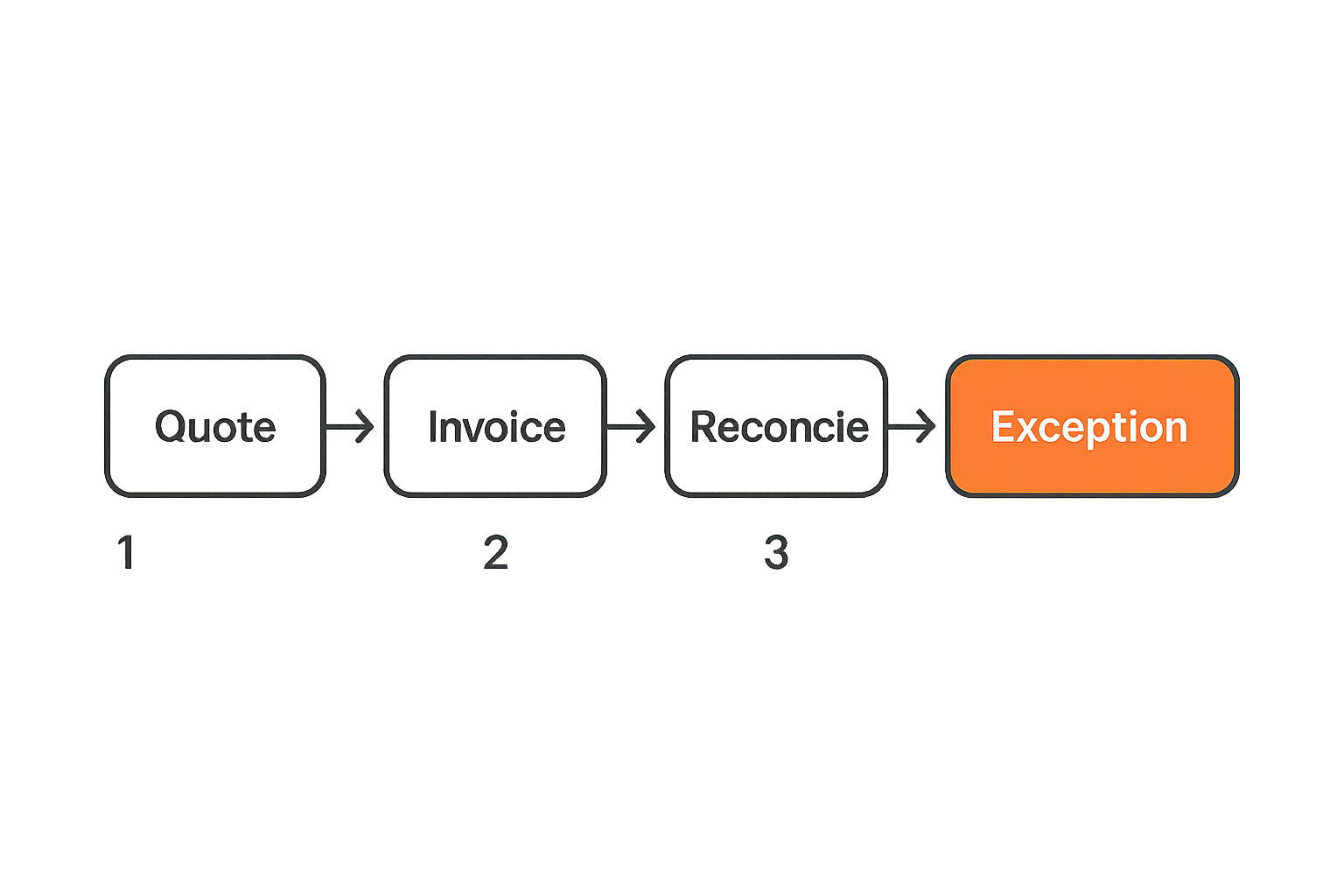
From quote to paid invoice
Start with the path money takes through your business. Not the accounting theory. The actual path.
For a services firm, the lifecycle may look like proposal, signed agreement, milestone approval, invoice, payment link, receipt, reconciliation, and project closeout. For a SaaS company, it may involve plan selection, trial conversion, recurring subscription, expansion, credit note, failed payment retry, and revenue reporting. For a small agency, it may be a hybrid of retainers, project fees, reimbursable expenses, and hourly add-ons.
Map the normal path first, then the exception paths. Exceptions matter because they are where manual work grows. Common exceptions include:
- Customer requests a purchase order before payment.
- The invoice needs two approvers before sending.
- A discount applies only for the first three months.
- A customer pays the wrong amount.
- A card payment fails but the service should not stop immediately.
- Sales promised custom terms that finance did not know about.
- The accountant needs tax treatment by region.
What breaks in practice is usually not the happy path. It is the second invoice after a customer changes plan, the partial payment from a bank transfer, or the credit note after a disputed charge.
The ownership map
Once the lifecycle is visible, assign ownership. This is where many invoicing projects become uncomfortable, because billing touches several teams.
Sales may own pricing promises. Operations may own delivery status. Finance owns accounting treatment. Customer success owns renewal conversations. Leadership owns cash visibility. The customer owns whether they understand the bill.
Create a simple ownership map:
| Workflow area | Primary owner | Backup owner | System of record |
|---|---|---|---|
| Customer legal name | Sales ops | Finance | CRM or invoicing tool |
| Pricing and discount | Sales | Finance | CRM or contract |
| Invoice approval | Finance | Founder | Invoicing software |
| Payment status | Finance | Operations | Payment processor |
| Customer dispute | Support | Finance | Support desk plus invoice record |
| Reconciliation | Bookkeeper | Finance lead | Accounting system |
Practical rule: If nobody owns a billing field, it will eventually become wrong data copied into more systems.
Related reading from our network: remote teams face similar ownership problems when choosing collaboration stacks, especially around access, handoffs, and tool sprawl, in this guide to cloud based productivity and collaboration tools.
Core capabilities that matter
Invoice creation and payment acceptance
The baseline features still matter. Your invoicing software should create professional invoices quickly, support custom branding, attach documents, send reminders, and accept the payment methods your customers actually use.
But do not confuse payment method coverage with payment operations. A tool that accepts cards but cannot handle bank transfer matching, partial payments, deposits, or overpayments may create more work than it removes.
Look for these practical capabilities:
- Draft invoices from reusable customers, items, and terms.
- Add payment links without forcing a customer portal login.
- Support deposits, retainers, and partial payments where relevant.
- Send receipts automatically after payment.
- Track whether an invoice was sent, viewed, paid, overdue, disputed, or voided.
- Separate invoice numbers from internal draft IDs.
- Let finance resend without rebuilding the invoice.
The detail that matters is state. If the invoice only has open or paid states, your team will invent notes, tags, or spreadsheets to track the missing middle.
Taxes, currencies, and compliance
Taxes are not just a checkbox. If you sell across regions, invoice tax behavior becomes part of your risk model. You need to know whether tax rates are calculated automatically, whether exemptions are supported, how tax IDs are stored, and whether exports match your accountant’s workflow.
Multi-currency support also needs scrutiny. Some tools can display foreign currencies but reconcile poorly when exchange rates, processor fees, and bank deposits differ. If you invoice in one currency and settle in another, test that flow before rollout.
Ask vendors how they handle:
- Tax-inclusive and tax-exclusive pricing.
- VAT, GST, sales tax, or regional equivalents.
- Customer tax IDs and exemption certificates.
- Currency conversion reporting.
- Credit notes and corrected invoices.
- Sequential invoice numbering requirements.
- Data retention and export obligations.
The practical question is not whether the software says tax support. It is whether your accountant can close the month without rebuilding the truth elsewhere.
Recurring billing and subscriptions
Recurring billing is where basic invoicing tools often start to strain. A subscription invoice is not just a repeated invoice. It has plan changes, proration, renewal timing, failed payment retries, cancellations, upgrades, downgrades, coupons, tax changes, and revenue recognition questions.
For a SaaS buyer, this distinction is critical. If your business model is simple monthly retainers, a recurring invoice template may be enough. If you run self-serve subscriptions, metered usage, annual prepayment, or customer-specific contracts, you may need a stronger billing platform rather than a lightweight invoice sender.
Practical rule: Treat recurring billing as a separate workflow from recurring invoice creation. They are not the same operational problem.
Integration architecture for invoicing software
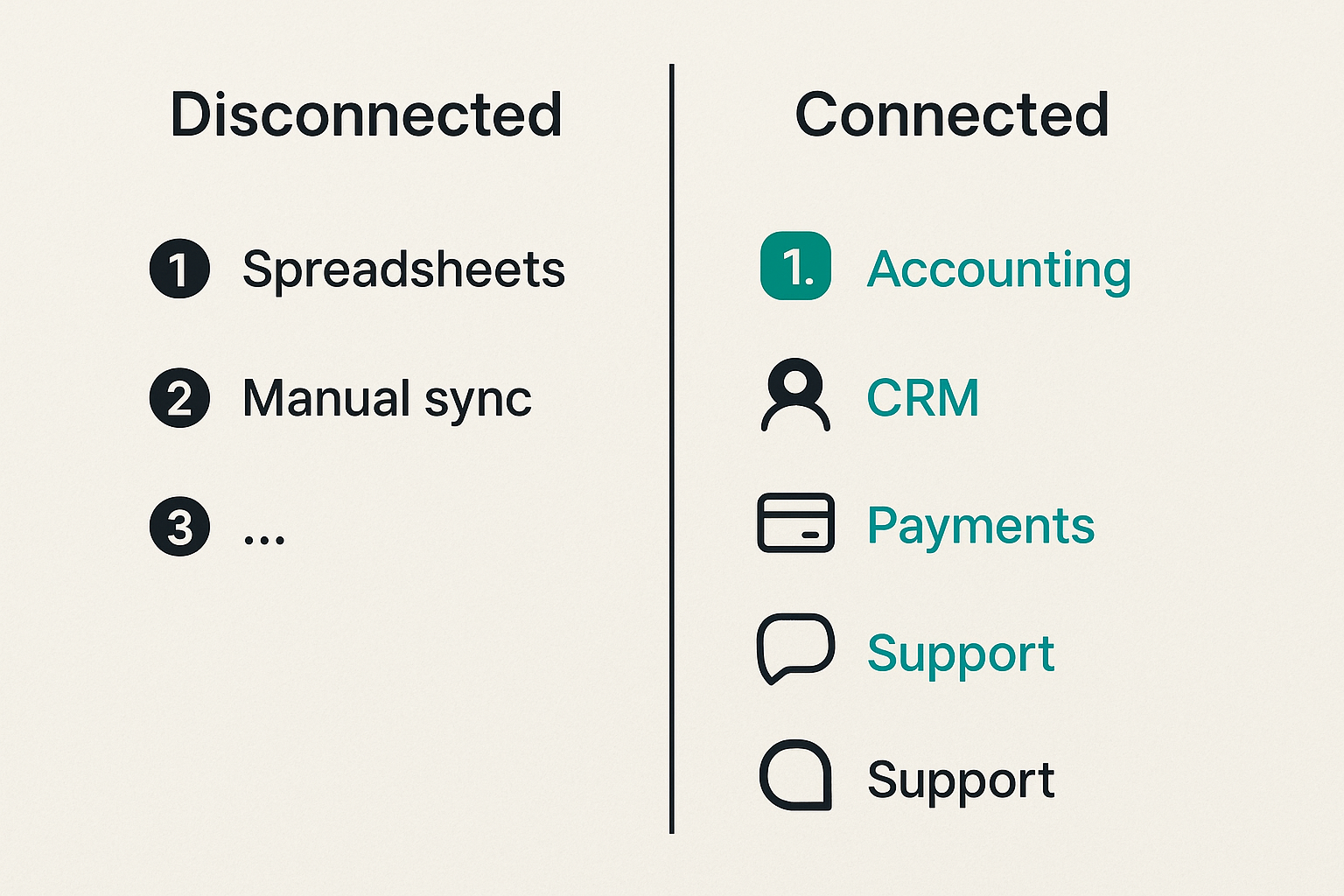
Accounting and bookkeeping sync
Accounting sync is usually the first integration buyers ask about. It should be. But the quality of the sync matters more than the logo on the integration page.
You need to know what syncs, when it syncs, and which system wins during conflicts. Does the invoicing software create customers in accounting automatically? Does it map products to revenue accounts? Does it push fees separately? Does it sync payments as deposits or as undeposited funds? Does it handle refunds and credit notes cleanly?
A weak sync produces silent cleanup work. The invoice looks fine to the customer, but the bookkeeper spends Friday untangling duplicate customers and unmatched payments.
A useful test is to create five invoices in a sandbox:
- A normal paid invoice.
- A partially paid invoice.
- A refunded invoice.
- A tax-exempt invoice.
- A multi-currency invoice if relevant.
Then inspect the accounting system. If the journal impact is confusing, your rollout will be noisy.
CRM, support, and project tools
For many teams, invoicing data starts outside finance. Sales negotiates terms. A project manager confirms delivery. Support receives the customer complaint. Customer success handles renewals.
The invoicing tool does not need to replace those systems, but it needs clean boundaries. If sales discounts live only in the CRM, finance needs visibility before sending the invoice. If a project manager marks work complete, that event may need to trigger a draft invoice. If a customer disputes a charge, support should see the invoice status without asking finance for a screenshot.
This is where productivity work becomes architecture work. Related reading from our network: teams building secure communication products face a similar boundary problem between product workflow and operational workflow in encrypted messaging software development.
Webhooks, APIs, and automation
Automation is useful only when the underlying events are trustworthy. If your invoicing software provides webhooks or API access, evaluate the event model carefully.
Useful events include invoice.created, invoice.approved, invoice.sent, invoice.viewed, payment.failed, payment.succeeded, credit_note.issued, customer.updated, and subscription.cancelled. The exact names vary by vendor, but the operational need is consistent: downstream tools should react to meaningful state changes.
A simple automation pattern might look like this:
- When a proposal is marked accepted, create a draft invoice.
- When finance approves it, send it to the customer.
- When payment succeeds, notify the project channel and update the CRM.
- When payment fails, create a support task and schedule a reminder.
- When an invoice is overdue by seven days, escalate to the account owner.
If you are designing broader workflow automation, our article on automation direct in SaaS workflow architecture is adjacent because the same rule applies: automate state transitions, not random clicks.
Data model and controls
Customers, items, and ledgers
Your invoicing data model determines how clean your reporting will be. If every invoice line is typed manually, your reports will fragment quickly. Consulting, consultation, professional services, and service fee may all mean the same thing, but the system will treat them as different items.
Build a controlled catalog where possible. Standardize customer names, billing contacts, tax IDs, item codes, revenue categories, payment terms, and default currencies. This is less exciting than choosing a template, but it is what keeps the system usable after month three.
A lightweight model can work well:
- Customer profile: legal name, billing email, tax ID, currency, payment terms.
- Item catalog: service name, SKU or code, revenue category, tax treatment.
- Invoice header: customer, due date, invoice number, purchase order, memo.
- Invoice lines: item, quantity, rate, discount, tax, project or department.
- Payment record: method, processor fee, settlement date, reference ID.
If the software cannot represent the way you sell, your team will hide meaning in free-text descriptions. That makes reporting fragile.
Permissions, audit trails, and approvals
Controls are not only for large companies. Small teams need them because one accidental invoice can damage trust with a customer. Approval workflows, role-based permissions, and audit trails reduce mistakes.
At minimum, separate who can create, approve, send, void, refund, and change payment settings. If everyone has admin access, your process depends on memory and goodwill. That may work for a team of two. It fails when finance, sales, operations, and contractors all touch the billing process.
The audit trail should answer simple questions:
- Who created the invoice?
- Who changed the due date?
- Who approved the discount?
- When was it sent?
- Did the customer view it?
- Who issued the credit note?
- Was a reminder sent automatically or manually?
Security and communication tools have similar control concerns. If billing conversations include customer financial details, the principles in our guide to encrypted messaging software for SaaS teams are relevant to how teams share invoice context without spreading sensitive data into random channels.
Compare types of invoicing software
Standalone tools
Standalone invoicing tools are often best for freelancers, consultants, agencies, and small businesses that need speed without a heavy accounting setup. They usually do invoice creation, payment links, reminders, and basic reporting well.
The advantage is simplicity. The risk is ceiling. Once you need deep accounting treatment, subscription logic, tax complexity, or multi-team approvals, the tool may become a front-end on top of spreadsheets.
Standalone tools work when the business model is straightforward and the finance process is lightweight. They fail when leadership expects them to behave like a full billing operations platform.
Accounting suites
Accounting suites provide invoicing inside a broader bookkeeping environment. This can be efficient because customers, invoices, payments, taxes, expenses, and financial reports live closer together.
The tradeoff is usability and workflow flexibility. Some accounting-first products are powerful for finance but clunky for sales, operations, or customer-facing teams. If only the bookkeeper understands the tool, everyone else will keep using side channels.
Accounting suites are a strong fit when bookkeeping accuracy is the core priority and invoice workflows are not highly customized.
Billing platforms and payment-led systems
Billing platforms and payment-led systems are designed for businesses where invoices are connected to subscriptions, payment processing, usage, and customer lifecycle events. They can be powerful, but they may be overkill for a small team with simple needs.
Use this comparison to frame the choice:
| Option | Best fit | Strength | Common failure |
|---|---|---|---|
| Standalone invoicing | Freelancers, agencies, small service teams | Fast setup and simple sending | Weak controls and reporting ceiling |
| Accounting suite | Finance-led small businesses | Bookkeeping and tax alignment | Less flexible for cross-team workflows |
| Billing platform | SaaS, subscriptions, complex payments | State, automation, payment lifecycle | More implementation effort |
| Payment-led system | Commerce and online checkout teams | Payment conversion and settlement | Invoice operations may be secondary |
Practical rule: Choose the category that matches your revenue workflow, not the category with the most polished demo.
Implementation workflow
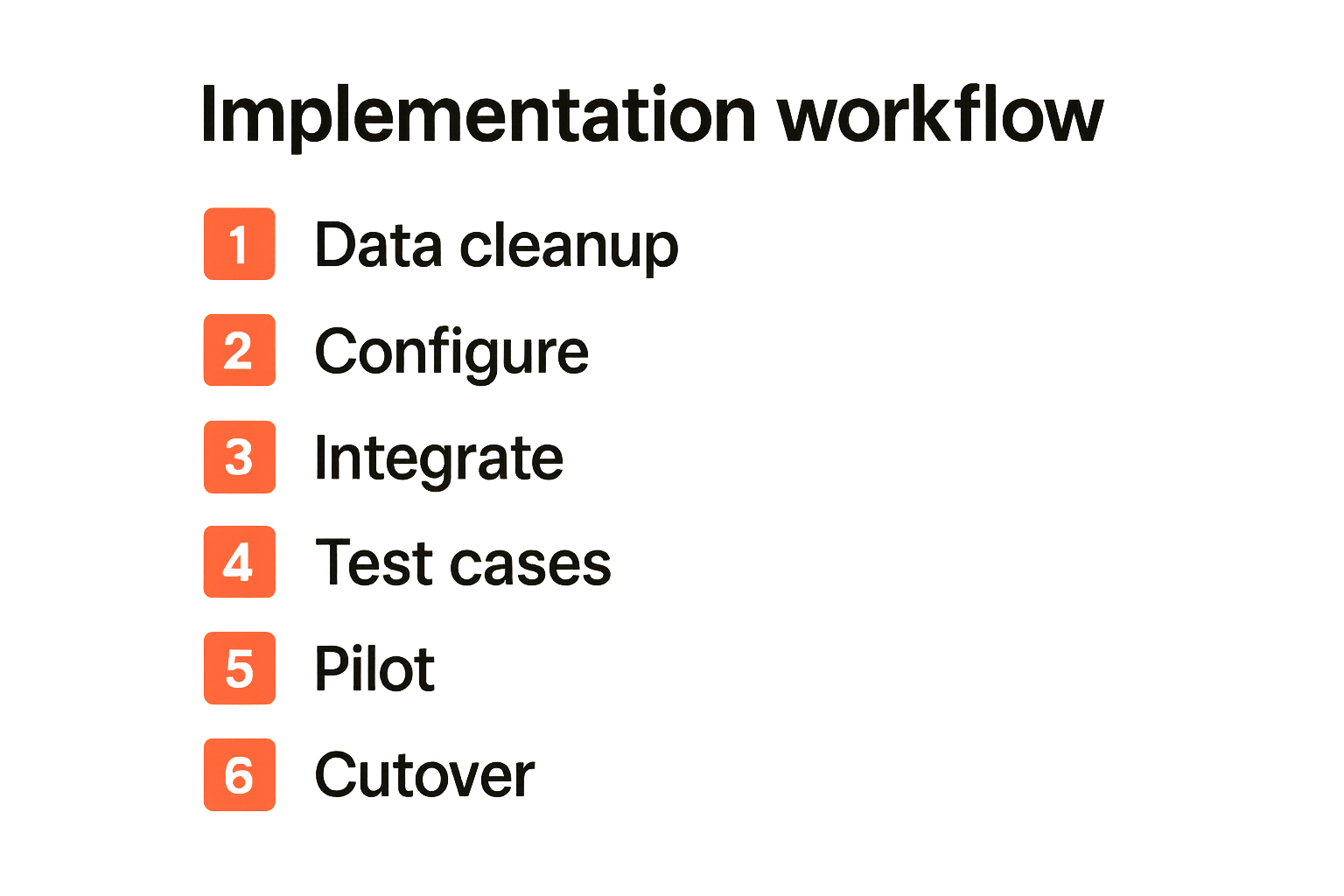
A practical rollout sequence
A good implementation does not start with importing customers. It starts with a decision log. You need to decide how the new system will behave before it becomes the place where customers see your billing mistakes.
Use this sequence:
- Map the invoice lifecycle, including exceptions.
- Assign owners for customer data, pricing, approvals, payments, and reconciliation.
- Standardize item names, tax categories, payment terms, and invoice numbering.
- Configure templates, reminders, payment methods, and permission roles.
- Connect accounting, CRM, and payment integrations in a sandbox if available.
- Create test invoices for normal, overdue, partial payment, refund, and tax scenarios.
- Run a pilot with a small group of customers or internal test accounts.
- Compare exported reports against your current bookkeeping process.
- Train the team on what not to do, not just where to click.
- Set a cutover date and freeze old invoice creation except for exceptions.
The mistake teams make is compressing this into one afternoon because the tool looks simple. Simple tools still create financial records. Treat the rollout with the same seriousness you would give to payroll, CRM migration, or production access.
Migration, testing, and fallback
Migration is not always necessary in full. Sometimes the best approach is to leave historical invoices in the old system, export them for records, and start new invoices in the new tool from a clean date. Full migration can be valuable, but it can also introduce duplicates and broken links.
Decide what must move:
- Active customers.
- Open invoices.
- Recurring profiles or subscriptions.
- Credits and deposits.
- Tax IDs and exemptions.
- Item catalog.
- Payment terms.
- Historical records for reporting.
Keep a fallback plan. If payment links fail, who sends manual instructions? If the accounting sync creates duplicates, who pauses it? If invoice numbers are wrong, who has authority to void and reissue? These are operational questions, not edge cases.
Related reading from our network: workflow risk is not limited to finance tools; software teams see similar operational fragility in CI/CD and supply chain processes, as covered in this guide to security service architecture for CI/CD.
Failure modes
What breaks in bad rollouts
Invoicing software fails quietly before it fails loudly. At first, people say the new tool is fine but a little annoying. Then finance starts keeping a side spreadsheet. Then sales says invoice amounts do not match contracts. Then customers ask why reminders are going to the wrong address.
Common failure modes include:
- Duplicate customer records from weak CRM sync.
- Invoice numbers that do not match accounting requirements.
- Tax settings applied inconsistently across products or regions.
- Payment fees not recorded correctly.
- Overdue reminders sent to customers with open disputes.
- Too many users with admin access.
- Recurring invoices sent after cancellation.
- Refunds processed in the payment tool but not reflected in accounting.
- Manual discounts with no approval trail.
- Reports that cannot separate product revenue from service revenue.
What breaks in practice is trust. Once finance does not trust the tool, it rebuilds reports elsewhere. Once sales does not trust finance data, it keeps its own contract notes. Once customers do not trust invoices, collection slows.
What works instead
What works is boring and consistent. Standard fields. Clear owners. Limited permissions. Tested integrations. A weekly review of open, overdue, disputed, and failed-payment invoices. A documented process for exceptions.
Build a small operating cadence:
- Daily: check failed payments and urgent customer disputes.
- Weekly: review overdue invoices, upcoming recurring invoices, and sync errors.
- Monthly: reconcile invoices, payments, processor fees, refunds, and tax reports.
- Quarterly: review item catalog, permissions, reminder rules, and automation logic.
This cadence is more important than another dashboard. Dashboards show symptoms. Operating reviews fix process drift.
Practical rule: If the team cannot explain how an invoice becomes revenue in the books, the implementation is not finished.
Buying criteria and evaluation
Score the workflow, not the demo
Vendor demos are optimized around speed. Your evaluation should be optimized around friction. Give each vendor realistic scenarios and score how much manual work remains.
Use a simple scoring model:
| Criterion | Weight | What to test |
|---|---|---|
| Invoice lifecycle fit | High | Draft, approval, send, payment, overdue, dispute |
| Accounting sync | High | Payments, refunds, fees, taxes, credit notes |
| Subscription support | Medium or high | Renewals, proration, failed payments, cancellations |
| Controls | Medium | Roles, approvals, audit trail |
| Reporting | Medium | Aging, revenue categories, tax exports, cash visibility |
| Customer experience | Medium | Payment page, receipts, reminders, portal access |
| Automation | Medium | Webhooks, APIs, reminder rules, workflow triggers |
| Migration effort | Medium | Customers, open invoices, historical data |
| Support quality | Medium | Response time, documentation, implementation help |
Do not let a beautiful invoice template outweigh broken reconciliation. A template can be adjusted. A bad data model becomes operating debt.
Questions to ask vendors
Ask practical questions that reveal product depth:
- What happens when a customer partially pays an invoice?
- Can reminders pause automatically during disputes?
- How are payment processor fees represented in accounting?
- Can we restrict who can issue refunds or credit notes?
- How do you handle invoice numbering during migration?
- Can one customer have multiple billing contacts or entities?
- What data exports are available if we leave?
- Are webhooks retried, and can events be replayed?
- How are tax rules updated and audited?
- What does the implementation timeline look like for a team like ours?
Also ask what the product is not good at. Good vendors will answer clearly. Vague answers usually mean you will discover the limitation in production.
Product fit and closing
Where saasrow.com fits
saasrow.com is not trying to turn software buying into a hype cycle. The goal is to help readers compare tools, improve workflows, and choose software wisely. For invoicing software, that means looking past feature grids and asking how the tool fits the way your business actually collects money.
The best buyers do not start with a vendor shortlist. They start with workflow evidence: invoice examples, customer types, approval needs, tax complexity, recurring revenue rules, accounting requirements, and support handoffs. Then they use that evidence to narrow the market.
That changes the conversation with vendors. Instead of asking whether they support automation, you can ask whether a failed payment can trigger an account task without sending a bad reminder. Instead of asking whether they integrate with accounting, you can ask how refunds, fees, and partial payments appear after sync.
Final decision checklist
Before you choose invoicing software, confirm these points:
- You know the lifecycle of your invoices and the exception paths.
- Each billing data field has an owner.
- The tool supports your actual revenue model.
- Accounting sync has been tested with realistic cases.
- Taxes, currencies, credits, and refunds are understood.
- Permissions match your team structure.
- Reports answer cash, aging, revenue, and tax questions.
- Migration scope is intentionally limited or fully justified.
- Your team has a weekly operating cadence after launch.
- You understand how to export data if you switch later.
Invoicing software should reduce billing friction, not move it into hidden spreadsheets. The right tool makes invoice state visible, connects revenue work across teams, and gives finance a reliable record. The wrong tool gives you a nice PDF and a messy month-end.
The practical question is not which invoicing software is best in general. It is which invoicing software matches your workflow well enough that your team can run billing without constant cleanup.
Try saasrow.com
You are writing for readers who want practical articles, guides, and insights about software and productivity. For more workflow-focused software buying guides, Try saasrow.com.