

July 13, 2026
Asana Project Management Software in 2026: Build the Workflow Before You Build the Board
Asana project management software works when teams treat it as workflow infrastructure, not a prettier task list. Here is how to design, roll out, and govern it.
A team buys Asana project management software because work is scattered. Product requests live in Slack. Customer promises live in email. Launch dates live in a spreadsheet. Nobody is trying to be disorganized, but the operating system is already broken.
Teams think the problem is task visibility. The real problem is workflow ownership.
That changes the conversation. Asana is not just a place to put tasks. It is a decision about how work enters the system, who owns it, how status changes, where exceptions go, and what managers review every week. If those rules are missing, Asana becomes another tab people update when someone asks.
The practical question is not whether Asana has enough features in 2026. It does for many small business and SaaS teams. The practical question is whether your team can turn those features into a repeatable operating model.
Table of contents
- The real job of Asana project management software in 2026
- Where Asana project management software fits in the stack
- Model the workflow before configuring Asana
- Practical Asana setup for SaaS and small business teams
- Automation and integrations without creating a mess
- What works when teams adopt Asana
- What fails with Asana project management software
- Buying and rollout checklist for 2026
- Common failure modes and fixes
- Product fit lens for saasrow.com readers
- Closing choose Asana as a system not a slogan
The real job of Asana project management software in 2026
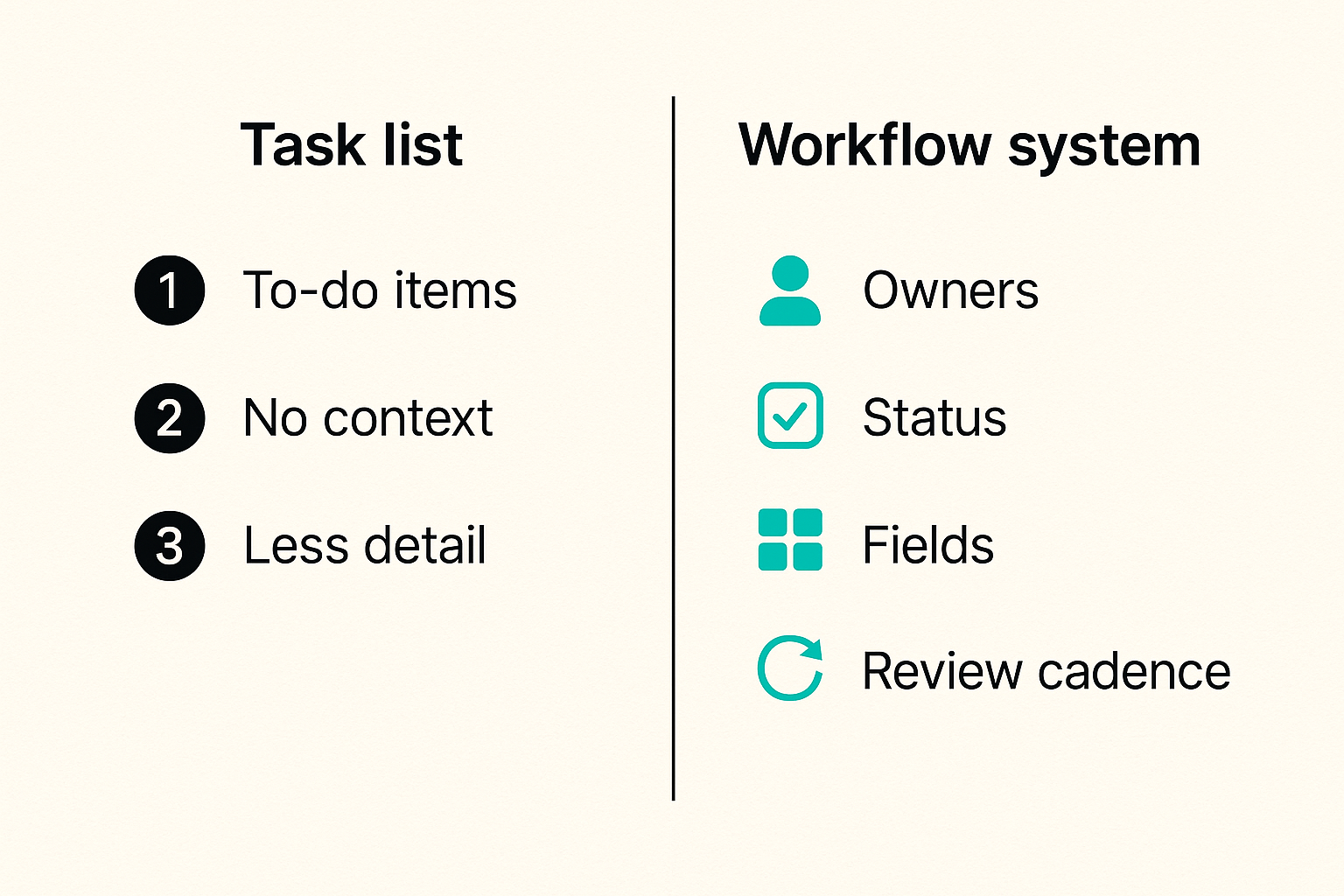
Task database not prettier task list
A useful way to think about Asana is as a structured database for work. Tasks are records. Projects are contexts. Fields are metadata. Rules are lightweight workflow logic. Views are interfaces for different operators.
That sounds less exciting than a colorful board, but it is more accurate. The board is only the surface. The real value is whether a customer request, feature idea, onboarding step, campaign task, or internal approval can move through the same system without being reinvented every week.
The mistake teams make is starting with layout. They ask whether they should use list view, board view, timeline view, or calendar view. Those are interface choices. The harder decision is what a task means in your company.
Is a task a deliverable? A step? A reminder? A conversation? A bug? A customer promise? If the answer changes by department, reporting becomes unreliable before the rollout has even started.
Ownership beats visibility
Visibility is useful, but visibility without ownership creates theater. Everyone can see the blocked task. Nobody owns the unblock.
Asana works best when every meaningful piece of work has a single accountable owner, a clear due date, a defined status, and a known escalation path. Collaborators can exist, but they are not substitutes for ownership.
Practical rule: If a task has more than one owner in real life, split the task until each piece has one accountable person.
This is where project management software becomes operational rather than decorative. A manager should be able to open a project and know what is late, what is blocked, who owns it, and what decision is needed. If they have to ask three people for context, the system is not doing its job.
For a broader Asana-specific workflow baseline, the earlier saasrow.com guide to Asana project management software in 2026 covers rollout concepts that pair well with this architecture view.
Cadence turns tasks into management
A task system without cadence decays. People add work when they remember. They update status when they are reminded. Eventually the project view becomes a museum of good intentions.
Cadence is the management layer. Daily triage keeps new work clean. Weekly reviews keep priorities current. Monthly cleanup prevents old projects from polluting search, dashboards, and reporting.
The practical question is simple: when does the team look at Asana together, and what decisions are made there? If the answer is unclear, people will keep using side channels because those channels feel faster.
Where Asana project management software fits in the stack
Compare the system roles before comparing features
Most teams compare Asana against other project management tools feature by feature. That is not useless, but it is incomplete. You need to know the role each tool plays in your operating stack.
| System role | Good fit for Asana | Usually better elsewhere | What breaks if confused |
|---|---|---|---|
| Work coordination | Tasks, owners, dates, dependencies, approvals | Pure chat threads | Decisions disappear into conversation |
| Knowledge base | Links to briefs, process docs, project context | Dedicated docs or wiki tools | Long-form knowledge gets buried in tasks |
| Engineering execution | Cross-functional launch coordination | Deep issue tracking and code workflow | Developers duplicate status across tools |
| Executive reporting | Portfolio views, milestones, risk summaries | Finance or BI systems | Leadership reads stale or oversimplified data |
| Customer support | Escalation tasks, follow-up ownership | Ticketing systems | Customer history fragments across tools |
Asana often sits between communication, documentation, and execution systems. It should not replace all of them. It should coordinate the work that crosses them.
If you are comparing the broader category, the saasrow.com project management software guide for 2026 is useful because it frames selection around workflow, ownership, integrations, and metrics rather than feature checklists.
When Asana is a strong fit
Asana is usually strong when the work is cross-functional, deadline-driven, and repeatable enough to benefit from templates. SaaS teams use it for product launches, marketing calendars, customer onboarding projects, implementation work, internal operations, and leadership planning.
It is especially useful when non-technical teams need structure without the overhead of an engineering-heavy issue tracker. Marketing, customer success, operations, and leadership teams often adopt it faster because the interface maps to how they already think about work.
Related reading from our network: teams designing collaborative control patterns may find the same ownership and handoff logic in Vizio remote control lessons for remote teams, especially where permissions and shared control become workflow problems.
When Asana is the wrong center of gravity
Asana is not always the right core system. If your team is mostly engineering and every task must connect to branches, pull requests, releases, test runs, and deployments, an engineering tracker may need to remain the source of truth.
If your work is primarily customer conversations, a support desk or CRM should probably own the customer record. Asana can coordinate follow-up, but it should not become a shadow support system.
Practical rule: Do not make Asana the source of truth for records another system is designed to own.
What breaks in practice is duplication. A support ticket says one thing. An Asana task says another. A Slack thread adds a third version. Then the team spends more time reconciling state than doing the work.
Model the workflow before configuring Asana
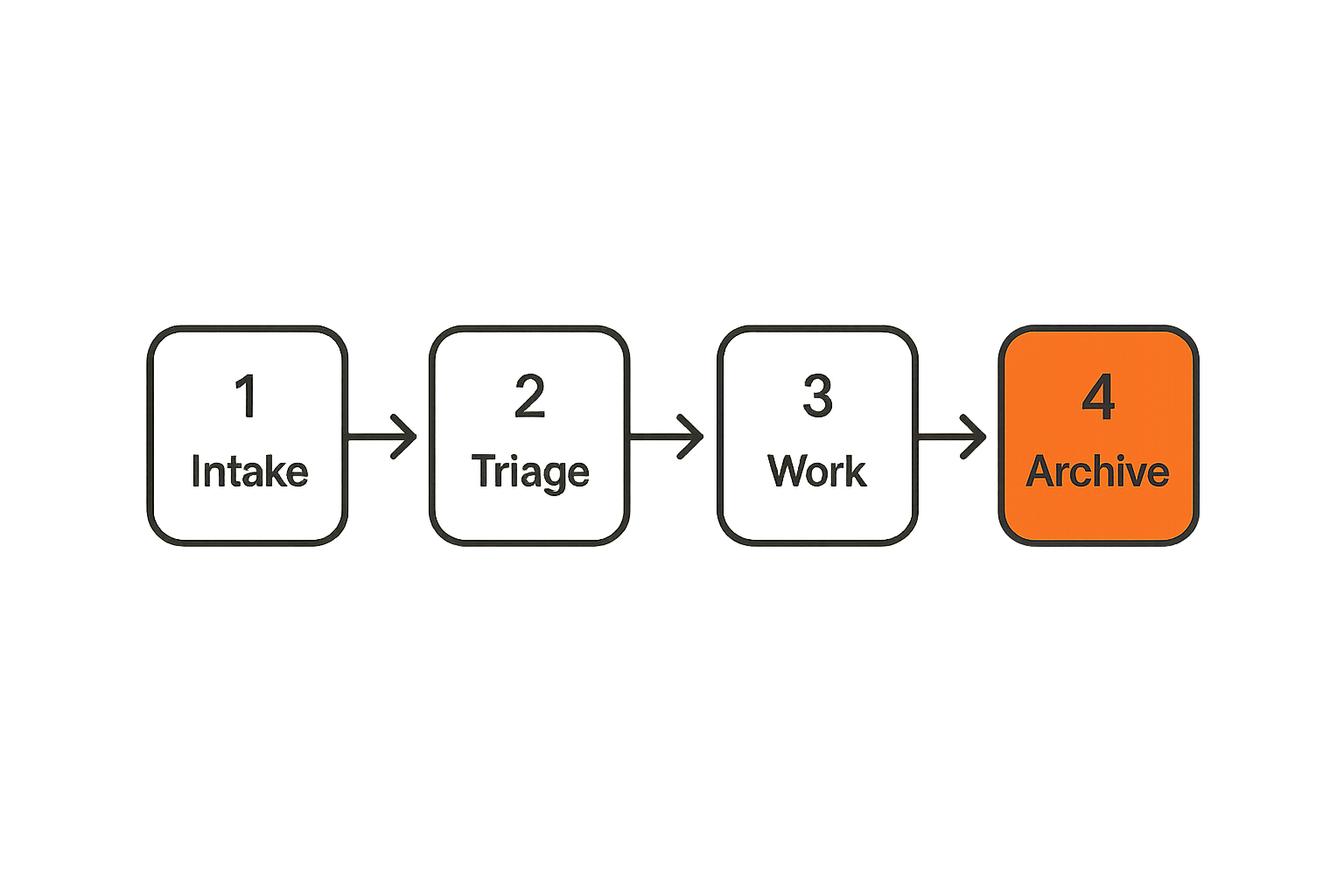
Map intake delivery review and archive
Before creating projects, map the workflow on paper. Use four stages: intake, delivery, review, and archive.
Intake answers where work comes from and who approves it. Delivery answers who performs the work and how progress is tracked. Review answers who accepts the output. Archive answers when the work is done enough to leave the active system.
This does not need to be complex. For a SaaS launch workflow, intake might be a product marketing request form. Delivery might include positioning, website copy, release notes, enablement, sales assets, and email campaigns. Review might involve product, marketing, legal, and customer success. Archive might happen after launch metrics are captured and open follow-ups are moved to a backlog.
Related reading from our network: launch teams thinking beyond software tooling can compare this with choosing a promotional products supplier for a software launch, where timing, fulfillment, attribution, and risk control create similar coordination issues.
Define objects before fields
Teams often create too many custom fields because they have not defined their objects. A campaign, customer onboarding, product release, bug escalation, and hiring plan are not the same kind of work.
Start by defining the object types you want to manage. Then decide what metadata each object needs. A launch may need launch date, tier, owner, risk, audience, and dependency status. A customer onboarding project may need account segment, contract value range, implementation phase, customer owner, and go-live target.
The field should exist because someone uses it to make a decision. If nobody filters by it, reports on it, routes work with it, or reviews it, the field is probably clutter.
Choose the source of truth
Every workflow needs a source of truth. That does not mean one tool owns everything. It means every important object has a clear home.
For example, customer account data may live in the CRM. Support conversations may live in the support desk. Product specs may live in docs. Engineering execution may live in an issue tracker. Asana can own the cross-functional coordination layer that ties those objects together.
This boundary matters because people will eventually disagree about status. When that happens, the team needs to know which system wins.
Practical rule: If two systems show different status for the same object, the team should already know which one is authoritative.
Practical Asana setup for SaaS and small business teams
Use projects for repeatable workstreams
A project should represent a meaningful workstream, not every passing idea. Good examples include Q3 product launch, enterprise onboarding template, monthly content calendar, security review process, or customer migration plan.
For small teams, fewer projects are usually better. Too many projects create navigation debt. People stop knowing where work belongs, so they create duplicate tasks or keep work outside the system.
Use portfolios when leadership needs to compare multiple projects at once. Use teams or workspaces to reflect organizational boundaries only when those boundaries help permissions, reporting, or focus.
Use templates for process memory
Templates are where Asana becomes more than a checklist. A good template captures the steps the team would otherwise have to remember: intake questions, required approvals, default dependencies, standard owners, due date offsets, and review points.
For a SaaS release, the template might include product brief, launch tier decision, pricing review, help center updates, website changes, email copy, customer success enablement, internal FAQ, analytics setup, and post-launch review.
The template should evolve after each real project. If teams keep adding one-off tasks during delivery, that is process feedback. Update the template so the next launch starts cleaner.
Use views to serve different operators
Different people need different interfaces. Operators may live in list or board view. Managers may prefer timeline and workload. Executives may need portfolio summaries. Individual contributors may use My Tasks.
Do not force one view to serve every role. That creates arguments about interface preference instead of workflow design.
A useful setup gives each role the view that helps them make decisions. The underlying task data stays consistent, but the interface changes by job.
Automation and integrations without creating a mess
Automate state changes not human judgment
Automation is useful when it reduces repetitive coordination. It is dangerous when it hides decisions.
Good automation assigns a task when a form is submitted, moves a task to review when a required field is complete, notifies a channel when a launch date changes, or creates a follow-up when an approval is marked rejected.
Bad automation closes tasks because a date passed, changes priority without human review, or routes work based on fields nobody keeps current.
The mistake teams make is automating a messy process. Automation does not fix unclear ownership. It only makes unclear ownership move faster.
Integrate around ownership boundaries
Integrations should connect systems where work crosses boundaries. A CRM opportunity can trigger an onboarding project. A support escalation can create a follow-up task. A product release can notify customer-facing teams. A document link can attach context to a task.
But every integration needs an owner. Someone must understand what creates records, what updates them, what happens on failure, and how duplicates are handled.
Related reading from our network: software teams dealing with CI/CD and dependency risk may recognize the same operating principle in Vivint security lessons for CI/CD supply-chain defense, where integrations, guardrails, and response workflows only work when ownership is explicit.
Plan for retries duplicates and stale data
What breaks in practice is rarely the happy path. It is the duplicate task created by a repeated form submission. The automation that fails silently. The integration that keeps syncing closed objects. The webhook that creates work with missing context.
Even if your team never writes code against Asana, you still need operational rules:
- Decide how duplicate tasks are detected.
- Name tasks consistently so search works.
- Use required fields sparingly but intentionally.
- Review automation logs if available.
- Assign an admin owner for every integration.
- Document what happens when an integration is disabled.
Practical rule: Every automation should have a human owner and a failure mode the team understands.
What works when teams adopt Asana
Start with one critical workflow
The best Asana rollouts usually start narrow. Pick one workflow that is painful, visible, and frequent enough to test the system. Do not start by migrating every team and every project.
A good pilot might be customer onboarding, product launches, marketing requests, agency client delivery, or internal approval routing. The workflow should have enough moving parts to prove value but not so much complexity that the pilot becomes a political project.
During the pilot, watch behavior. Are people adding tasks without being chased? Are owners updating status before meetings? Are managers making decisions from Asana instead of separate spreadsheets? Those signals matter more than whether everyone says they like the tool.
Make accountability visible
Asana works when accountability is visible without being performative. The goal is not to shame people with overdue tasks. The goal is to make constraints visible early enough to fix them.
A useful project review asks:
- What is blocked?
- What changed since last review?
- What is at risk?
- Who owns the next decision?
- Which tasks no longer matter?
This is where many teams get leverage. They stop using meetings to collect status and start using meetings to resolve exceptions.
Review the system every week
A project management system needs maintenance. Weekly review does not mean every task gets discussed. It means the system is trusted enough to run the review.
Review overdue tasks, blocked tasks, upcoming milestones, missing owners, and projects with no recent activity. Close stale work. Update templates. Remove unused fields. Fix unclear naming.
If that sounds administrative, it is. Operating systems require maintenance. The alternative is pretending the tool failed when the real issue was neglect.
What fails with Asana project management software
Using Asana as a chat replacement
Asana comments are useful for task-specific context. They are not a replacement for every discussion. When teams push all conversation into task comments, threads become noisy and decisions become hard to find.
Use chat for quick coordination. Use docs for durable thinking. Use Asana for decisions, ownership, status, and next actions. The boundaries do not need to be perfect, but they need to be understood.
The failure pattern is familiar: someone asks a question in a task comment, someone answers in Slack, the final decision appears in a meeting, and the task remains unchanged. Now the system is stale again.
Adding fields nobody uses
Custom fields are powerful because they turn tasks into structured records. They are also one of the fastest ways to make Asana feel heavy.
Every new field adds cognitive load. People must understand it, fill it out, maintain it, and interpret it. If the field does not drive routing, filtering, reporting, prioritization, or review, it should not exist.
A good field has a job. Priority helps sequence work. Status supports review. Launch tier changes approval depth. Customer segment affects messaging. Risk level triggers escalation. Random labels usually just create noise.
Letting old work rot in the workspace
Old projects are not harmless. They pollute search, confuse templates, distort dashboards, and make people unsure which project is current.
Create an archive rule. For example, a project is archived when the final review is complete, open follow-ups have been moved to the right backlog, and the owner confirms there are no active dependencies.
Small teams often skip this because they are busy. Then six months later nobody trusts the workspace. The cleanup cost is higher than the maintenance would have been.
Buying and rollout checklist for 2026
Evaluate workflow fit before price
Price matters, especially for small teams. But the wrong evaluation sequence creates bad decisions. If you compare tools only by monthly cost and feature grids, you may miss the operational fit.
Start with your workflows. What work repeats? Where does status get lost? Which teams need shared visibility? Which systems already own important data? Which reports does leadership actually use?
Then evaluate Asana against those needs. Look at permissions, templates, custom fields, automations, integrations, reporting, admin controls, guest access, mobile use, and ease of adoption.
Run a pilot with real work
A pilot should use real projects, real owners, and real deadlines. Demo data makes every tool look clean.
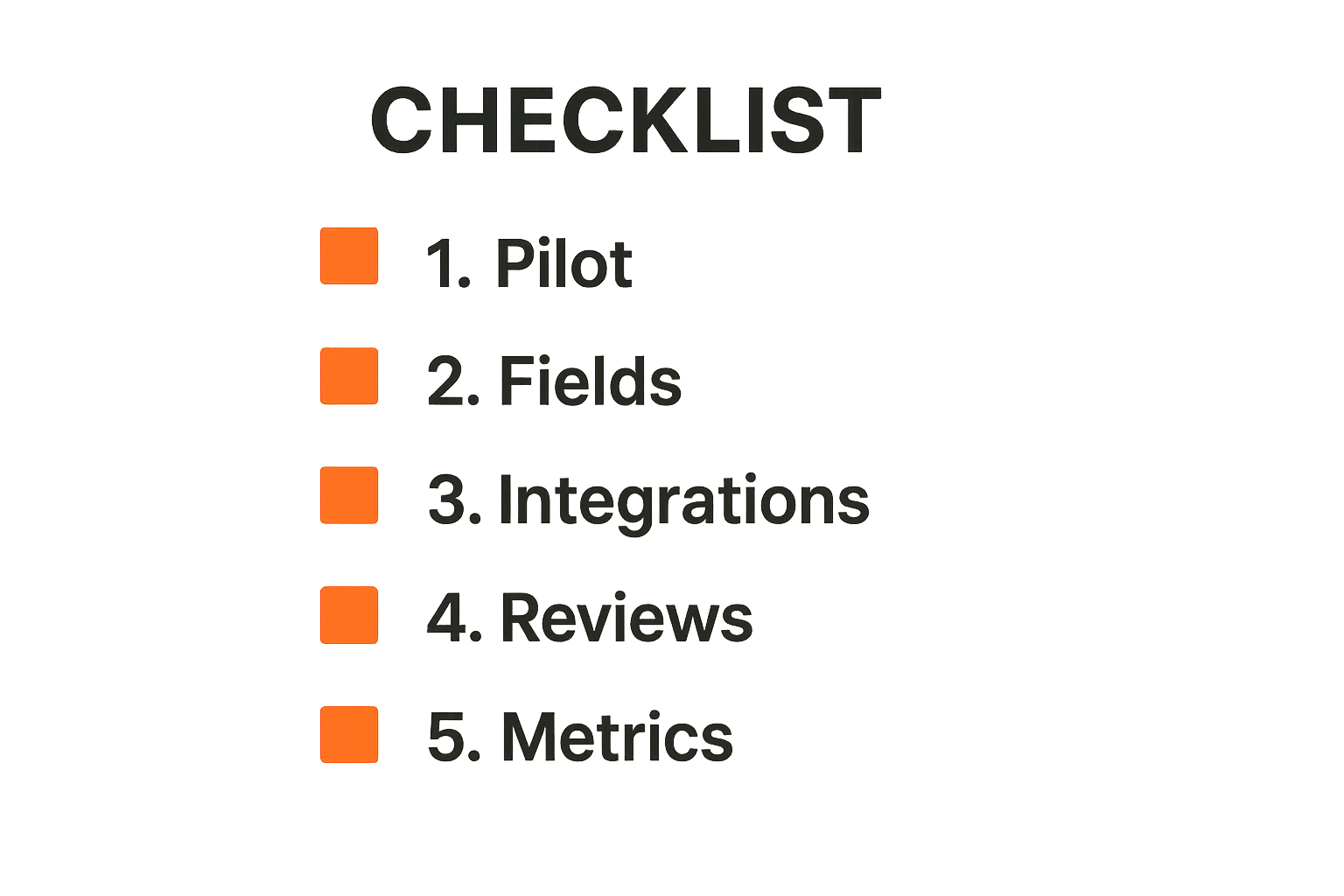
A practical rollout sequence looks like this:
- Pick one workflow with a clear business owner.
- Map intake, delivery, review, and archive.
- Build one project template and one intake path.
- Define required fields and status values.
- Connect only the integrations needed for the pilot.
- Train users on the workflow, not every feature.
- Run two to four weeks of real work.
- Review adoption, stale tasks, cycle time, and manager trust.
- Fix the model before expanding to more teams.
This sequence keeps the discussion grounded. People are not debating abstract preferences. They are testing whether the workflow runs.
For adjacent software evaluation thinking, the saasrow.com article on Pivotal software in 2026 is useful because it applies the same lens to workflow fit, integration risk, ownership, and rollout complexity.
Define governance before expansion
Governance sounds heavy, but for Asana it can be simple. Decide who can create templates, who owns workspace structure, who approves new custom fields, who manages integrations, and how inactive projects are archived.
Without governance, every team invents its own taxonomy. One team uses high, medium, low priority. Another uses P0 to P3. Another uses colors. Reporting breaks because the organization never agreed on basic language.
Practical rule: Scale Asana only after you can explain the workspace rules to a new hire in ten minutes.
Common failure modes and fixes
Task sprawl
Task sprawl happens when everything becomes a task. Ideas, reminders, meeting notes, personal todos, strategy questions, and actual deliverables all mix together.
The fix is classification. Decide which work belongs in shared projects and which belongs in personal task lists, docs, chat, or backlog systems. Shared projects should contain work that requires coordination, accountability, or reporting.
Use naming conventions. A task called update page is weak. A task called update pricing page FAQ for July launch is searchable, reviewable, and easier to understand later.
Stale status
Stale status destroys trust. Once managers believe Asana is outdated, they create a parallel reporting process. That parallel process then makes Asana even less current.
The fix is to make status updates part of the workflow, not an extra chore. If a task moves to review, the status should change. If it is blocked, the blocker should be named. If the due date moves, the reason should be visible.
Weekly review should identify stale tasks and either update, reassign, defer, or close them. Leaving them alone is how work systems decay.
Integration drift
Integration drift happens when connected systems change but Asana rules do not. A CRM field changes. A form gets edited. A Slack channel is renamed. A support workflow changes. The integration keeps running, but the output is wrong.
The fix is ownership and periodic audit. Every integration should have a named admin and a quarterly review. Check whether triggers still make sense, fields still map correctly, and downstream users still need the automation.
This is not overkill. Integrations are operational commitments. If nobody owns them, they become hidden failure points.
Product fit lens for saasrow.com readers
Compare tools by operating model
At saasrow.com, the useful software question is rarely which tool has the longest feature list. It is which tool fits the way your team actually works, and what you must change to get value from it.
Asana project management software can be a strong fit for small business and SaaS teams that need cross-functional coordination, reusable workflows, and practical visibility. But it is not magic. The operating model still matters.
A buyer should ask: who owns workflow design, who maintains the system, how will adoption be measured, and what will be removed if Asana becomes the new coordination layer?
Turn requirements into decisions
Requirements should lead to decisions. If you need executive visibility, decide what dashboard or portfolio view leadership will use. If you need customer onboarding consistency, decide what template and intake fields are mandatory. If you need fewer status meetings, decide which review questions Asana will answer.
Vague requirements create vague rollouts. Clear decisions create systems people can use.
The same applies when comparing Asana with Monday.com, ClickUp, Jira, Trello, Notion, or a lightweight spreadsheet process. The best tool depends on workflow shape, team maturity, admin capacity, and integration needs.
Keep software choice tied to productivity
Productivity is not more updates. It is fewer avoidable delays, cleaner handoffs, faster decisions, and less time reconstructing context.
If Asana helps your team achieve that, it is doing useful work. If it becomes another place to copy status, the rollout has missed the point.
A practical buyer should care about adoption, but not as a vanity metric. The better question is whether the work system is trusted. If managers still ask for separate spreadsheets, if teams still negotiate priority in private chats, or if deadlines still surprise people, the system is not trusted yet.
Closing choose Asana as a system not a slogan
Asana project management software is useful when it becomes the coordination layer for real work. It is weak when teams treat it as a prettier checklist and avoid the harder questions about ownership, workflow design, integrations, and review cadence.
The practical path is not complicated. Model the workflow. Define the source of truth. Start with one critical process. Build templates. Keep fields useful. Review the system every week. Govern it before scaling.
Use Asana project management software as an operating system for work, not a dumping ground for tasks. That distinction is where the ROI usually lives.
Try saasrow.com
You are writing for readers who want practical articles, guides, and insights about software and productivity. Try saasrow.com for grounded software comparisons and workflow-focused buying guidance.